.png) 8 Reviews
8 Reviews 221 Students
 Overview
Course Description
 Key Benefits
Learning Outcome
Course media
 Who Is This Course For?
 Career Path
Frequently Asked Questions
Curriculum
-
 Insert, Delete, and Adjust Cells, Columns, and Rows
 00:10:00
 -
Search for and Replace Data
00:09:00
-
Use Proofing and Research Tools
00:07:00
-
Manage Worksheets
00:05:00
-
Manage Workbook and Worksheet Views
00:07:00
-
Manage Workbook Properties
00:06:00
-
Work with Ranges
00:18:00
-
Use Specialized Functions
00:12:00
-
Work with Logical Functions
00:24:00
-
Work with Date & Time Functions
00:08:00
-
Work with Text Functions
00:11:00
-
Sort Data
00:10:00
-
Filter Data
00:10:00
-
Query Data with Database Functions
00:09:00
-
Outline and Subtotal Data
00:09:00
-
Welcome to the Course
00:03:00
-
Apply Intermediate Conditional Formatting
00:07:00
-
Apply Advanced Conditional Formatting
00:06:00
-
Create Charts
00:13:00
-
Modify and Format Charts
00:12:00
-
Use Advanced Chart Features
00:13:00
-
Create a PivotTable
00:13:00
-
Analyze PivotTable Data
00:12:00
-
Present Data with PivotCharts
00:08:00
-
Filter Data by Using Timelines and Slicers
00:11:00
-
Use Links and External References
00:12:00
-
Use 3-D References
00:06:00
-
Consolidate Data
00:06:00
-
Create Sparklines
00:07:00
-
MapData
00:07:00
-
Determine Potential Outcomes Using Data Tables
00:09:00
-
Determine Potential Outcomes Using Scenarios
00:09:00
-
Use the Goal Seek Feature
00:04:00
-
Forecasting Data Trends
00:06:00
-
Use Lookup Functions
00:13:00
-
Trace Cells
00:09:00
-
Watch and Evaluate Formulas
00:09:00
-
Apply Data Validation
00:13:00
-
Search for Invalid Data and Formulas with Errors
00:04:00
-
Work with Macros
00:18:00
-
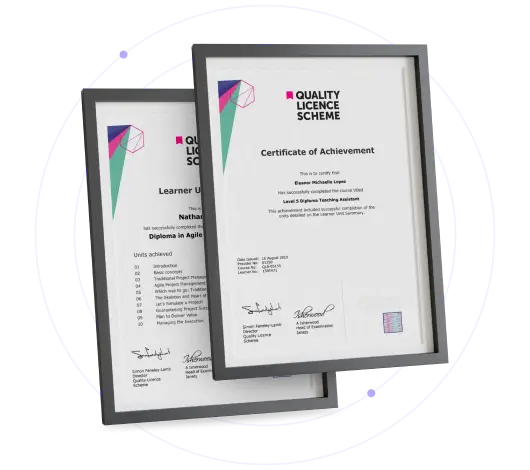
Submit Your Assignment & Order QLS Certificate
£129
Save 92% - Grab Now!

Offer Ends in
This course includes:
-
Duration:Self-paced Learning
-
Access:1 Year
-
Units:41