
Login

Microsoft Office Specialist (MOS): Azure AD PowerShell, Office 365 Automation

Special Offer | 8 in 1 Training Bundle | CPD Accredited | 1 Free PDF Certificate | Instant Access
4.8
5 Reviews

stds76 Students

Overview

Microsoft Office course content within this Microsoft Office Specialist (MOS) programme connects cloud administration, automation, and data handling across modern workplaces. Therefore, the curriculum links Azure AD PowerShell, Office 365 automation, and collaboration platforms into one structured pathway. Moreover, learners explore Excel PowerQuery, SharePoint site ownership, SQL queries, and Teams administration. Consequently, this Microsoft Office course supports technical confidence while aligning with enterprise workflows. In addition, repeated Microsoft Office Specialist exposure reinforces structured automation awareness across Microsoft environments.

Course Description

Digital workplaces now rely on automation, coordination, and data-driven control; therefore, this Microsoft Office course begins with cloud identity scripting and Office 365 command processes. Consequently, Azure AD PowerShell builds operational clarity, while automation methods reduce manual workloads. Moreover, structured learning ensures the Microsoft Office Specialist pathway reflects enterprise-level administration expectations across the UK.

Progressively, Excel PowerQuery, PowerPivot, SQL queries, and Access structures strengthen reporting logic. Furthermore, SharePoint ownership and Teams administration support collaboration governance. As a result, learners coordinate data flow, communication, and permissions effectively. Additionally, this Microsoft Office course highlights integration across platforms, reinforcing the relevance of Microsoft Office Specialist credentials in organisational environments.

Finally, Azure architecture concepts and Office 365 automation consolidate strategic capability. Therefore, learners approach system optimisation with clarity and direction. Meanwhile, repeated Microsoft Office Specialist exposure improves platform fluency. Consequently, this Microsoft Office course supports long-term technical confidence, operational efficiency, and digital leadership readiness.

Course List in this Bundle

  • ➽ Course 01: Learn Azure AD PowerShell for Microsoft Office 365
  • ➽ Course 02: Microsoft Excel: PowerQuery and PowerPivot
  • ➽ Course 03: Microsoft SharePoint Site Owner Training
  • ➽ Course 04: Microsoft SQL Queries
  • ➽ Course 05: Microsoft Azure – Az 304
  • ➽ Course 06: Microsoft Teams for Administrators
  • ➽ Course 07: MS Access Tables and Queries for Beginner
  • ➽ Course 08: Microsoft Office 365 Automation Course

Learning Outcome

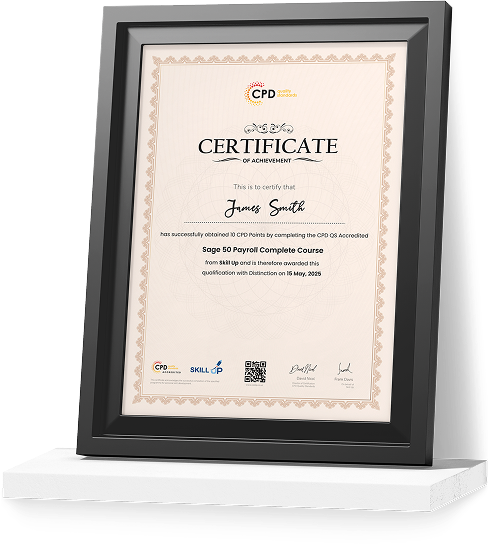
Certificate of Achievement

Earn Your Accredited Certificate with Transcript

Save 20% with the coupon code SKILL20

Show Your Certified Identity with a CPD-QS Certificate

Perfect for employers, clients, or academic verification.
Who Is This Course For?

Career Path

Frequently Asked Questions

Yes, content reflects current UK organisational technology practices.


The Microsoft Office Specialist framework appears throughout all modules.


Yes, Office 365 automation is a core focus area.


Azure AD PowerShell and identity management are included.


Yes, it aligns with high-demand UK technical roles.

Curriculum

top
