Overview
MS Outlook Essentials introduces structured email organisation, inbox efficiency, and communication control through systematic sorting, filtering, and automation features. This course explains how MS Outlook Essentials supports daily workflow accuracy using attachments, categories, flags, reminders, and rules. Moreover, MS Outlook Essentials improves message clarity, folder structure, and inbox upkeep while strengthening time awareness and email prioritisation across professional environments using consistent methods.
Course Description
Emails arrive endlessly; however, control remains possible. MS Outlook Essentials reshapes chaotic inboxes into streamlined communication centres by applying logical sorting, conditional formatting, and advanced filtering techniques. Consequently, learners organise messages visually, prioritise tasks instantly, and maintain structured communication without confusion. Furthermore, MS Outlook Essentials Course principles help eliminate distractions using refined inbox maintenance processes.
Organisation deepens as MS Outlook Essentials Course explores attachments, folders, categories, flags, and reminders. Therefore, email content remains accessible, traceable, and categorised correctly. Rules automation enhances message flow, while junk email management safeguards communication quality. Additionally, MS Outlook Essentials Course techniques support efficient follow-ups, clearer scheduling, and faster response management across varied responsibilities.
Finally, MS Outlook Essentials Course establishes long-term inbox sustainability. Advanced sort tools, filters, and maintenance routines prevent overload while maintaining professional correspondence standards. As a result, productivity strengthens, communication improves, and email stress reduces consistently. MS Outlook Essentials Course empowers structured digital communication aligned with modern workplace expectations.
Note: Skill-up is a Janets-approved resale partner for Quality Licence Scheme Endorsed courses.
Key Benefits
- Improves inbox clarity through logical email organisation
- Strengthens communication flow using automation rules
- Enhances message prioritisation with flags and reminders
- Reduces clutter using junk control and maintenance tools
- Supports efficient attachment and folder handling
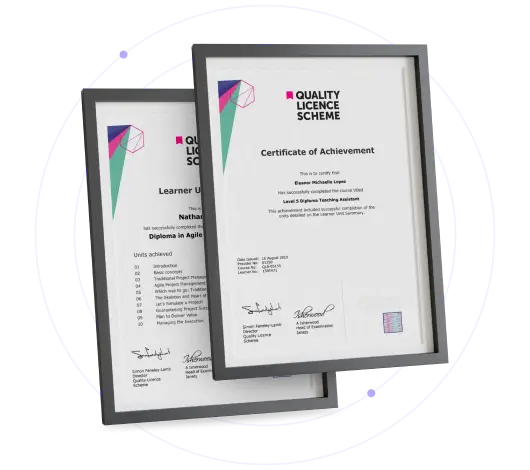
Certificate of Achievement
Free QLS Certificate Included
Quality Licence Scheme Endorsed Certificate
Upon completing the final assessment, you can apply for the Quality Licence Scheme Endorsed Certificate of Achievement. Endorsed certificates can be ordered and delivered to your home by post.
An extra £10 postage charge will be required for students leaving overseas.
Skill Up Recognised Certificate
Upon successfully completing this course, you can request a Skill Up Recognised Certificate. This certificate holds significant value, and its validation will endure throughout your lifetime.
1. PDF Certificate + PDF Transcript: FREE With This Course
2. Hard Copy Certificate + Hard Copy Transcript: £19.99
3. Delivery Charge: £10.00 (Applicable for International Students)
Note: There are no discount coupons available for this course at the moment.
Learning Outcome
- Apply basic and advanced sorting methods
- Configure filters and conditional formatting
- Organise emails using categories and folders
- Automate workflows with rules and reminders
- Maintain inbox efficiency long term
Who Is This Course For?
- Office administrators managing high email volume
- Jobseekers improving workplace software capability
- Business owners organising digital correspondence
- Support staff handling attachments and follow-ups
- Remote workers managing inbox productivity
Career Path
- Administrative Assistant (£22,000 – £28,000): Inbox organisation increases task reliability
- Office Coordinator (£26,000 – £34,000): Automation improves operational efficiency
- Executive Assistant (£32,000 – £45,000): Advanced email control raises responsibility scope
- Project Administrator (£30,000 – £42,000): Structured communication supports project flow
- Operations Support Officer (£35,000 – £50,000): Inbox optimisation enhances coordination value
Frequently Asked Questions
MS Outlook Essentials Course explains sorting, filtering, rules, folders, reminders, and inbox maintenance aligned with workplace needs.
Yes, MS Outlook Essentials Course starts with core sorting methods before advancing into automation and organisation tools.
Yes, MS Outlook Essentials Course provides a free certificate upon completion.
MS Outlook Essentials Course reduces email overload through automation, structured folders, and message prioritisation systems.
MS Outlook Essentials Course strengthens communication management, supporting administrative, coordination, and support roles.
Curriculum
-
1 – Basic sort
00:02:00
-
2 – Handling Attachments
00:06:00
-
3 – Advanced Sort
00:05:00
-
4 – Conditonal Formatting
00:04:00
-
5 – Filter and Advanced Filter
00:05:00
-
6 – Categories
00:03:00
-
7 – Flags and Reminders
00:05:00
-
8 – Rules
00:08:00
-
9 – Managing Junk Email
00:03:00
-
10 – Managing Folders
00:03:00
-
11 – Inbox Maintenance
00:04:00
-
Submit Your Assignment & Order QLS Certificate
Offer Ends in
14-Day Money-Back Guarantee
-
Duration:Self-paced Learning
-
Access:1 Year
-
Units:12

6 Reviews