
.png) 7 Reviews
7 Reviews 17 Students
 Overview
Course Description
 Learning Outcome
Course media
 Who Is This Course For?
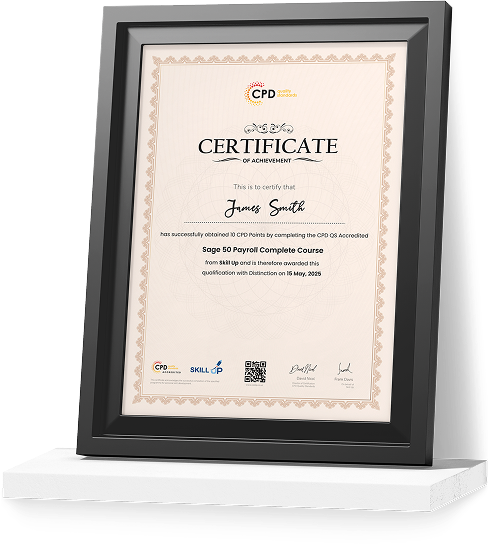
Certificate of Achievement
Earn Your Accredited Certificate with Transcript
Save 20% with the coupon code SKILL20

Show Your Certified Identity with a CPD-QS Certificate
Perfect for employers, clients, or academic verification.
 Career Path
Frequestly Asked Questions
Online Video Course Creation in 7 Steps Reviews

A well-organised and highly valuable course with clear, easy-to-understand guidance throughout. I’ve gained knowledge that’s directly relevant to my day-to-day responsibilities. It’s given me greater confidence in applying these skills professionally.

Engaging content delivered in a straightforward and structured format. The examples were realistic and helped reinforce key concepts effectively. I would certainly recommend it to colleagues looking to upskill

Comprehensive, insightful and professionally presented from start to finish. The course materials were clear and well supported. A worthwhile investment for anyone serious about career development
Curriculum
-
 Welcome
 00:02:00
-
Coming up with course ideas
00:01:00
-
Outlining with Dynalist
00:02:00
-
Assets, practice and setting up a studio
00:04:00
-
Selecting audio hardware
00:05:00
-
Selecting video hardware
00:06:00
-
Green screens
00:04:00
-
Interfacing with iOS devices
00:03:00
-
Lighting considerations
00:02:00
-
Teleprompter hardware and software
00:02:00
-
Recording on iOS
00:01:00
-
Moving recordings from iOS to computers
00:02:00
-
Resizing utilities for target output resolutions
00:05:00
-
Open broadcaster software profiles
00:07:00
-
OBS settings
00:04:00
-
OBS sources
00:04:00
-
OBS transforms
00:02:00
-
OBS filters
00:03:00
-
Creating an image mask to filter a source
00:06:00
-
Adding a color source and masking it
00:03:00
-
OBS scenes
00:06:00
-
OBS VirtualCam plugin
00:04:00
-
Building your Table of Contents
00:05:00
-
Installing relevant Adobe applications
00:04:00
-
Getting started with Premiere Pro
00:05:00
-
Adjusting gain (audio levels) in Premiere Pro
00:04:00
-
Getting started with Audition
00:07:00
-
Removing noise globally in Audition
00:04:00
-
Removing specific sounds in Audition
00:07:00
-
Compositing audio and video in Premiere Pro
00:08:00
-
Syncing two video clips using visual cues
00:03:00
-
Removing unwanted slices of time in video
00:06:00
-
Adding transitions between videos
00:03:00
-
Masking and partially blurring in Photoshop
00:11:00
-
Creating animated vector graphics in Premiere Pro
00:06:00
-
Overlaying animated graphics to draw attention
00:05:00
-
Getting started in After Effects
00:04:00
-
Animating a rectangle in After Effects
00:05:00
-
Animating expression text in After Effects
00:08:00
-
Using lower thirds in Premiere Pro
00:04:00
-
Exporting from Premiere Pro
00:03:00
-
Exporting with Media Encoder
00:02:00
-
Optimizing for the web with Handbrake
00:04:00
-
Generating captions with artificial intelligence
00:06:00
-
Using Google’s translation toolbox
00:04:00
-
Converting subtitle formats
00:03:00
-
Capturing video thumbnails
00:04:00
-
Designing a title card
00:03:00
-
Recording scripted video with teleprompter
00:03:00
-
Bringing post videos together in Premiere Pro
00:07:00
-
Integrating title card into welcome video
00:05:00
-
Adding curriculum in Udemy
00:06:00
-
Adding captions in several languages
00:03:00
-
Making videos downloadable and previewing
00:02:00
-
Creating the course landing page
00:02:00
-
Selecting pricing and creating promotions
00:02:00
-
Adding curriculum in Thinkific
00:02:00
-
Uploading captions and thumbnails
00:03:00
-
Offering free previews for certain lessons
00:02:00
-
Settings and SEO keywords
00:03:00
-
Specifying a drip schedule for the course
00:02:00
-
Pricing and publishing
00:02:00
-
Bonus lecture
00:01:00
-
Resources – Online Course Creation in 7 Steps

Offer Ends in

 All
Courses for £49
All
Courses for £49


-
Duration:4 hours, 11 minutes
-
Access:1 Year
-
Units:64

