
Cart
No products in the basket.
Log In Sign Up

Login

Adobe Illustrator CC Advanced

Get 92% Discount | CPD Accredited | Affordable Pricing | No Hidden Charges | 24/7 Tutor Support | Instant Access
4.7
★ ★ ★ ★ ★
★ ★ ★ ★ ★
10 Reviews

stds211 Students

Accreditation Icon
Accreditation Icon

Overview

Want to turn solid Illustrator knowledge into sharper, more professional design control for branding, digital artwork, packaging visuals and advanced vector projects? This Adobe Illustrator Advanced Course Online UK is designed for graphic designers, illustrators, digital creatives, marketing designers and freelancers who already understand the basics and want to work with greater precision.

Advanced Illustrator skills can help you handle complex typography, refined colour systems, masks, gradients, symbols, 3D effects and multi-artboard workflows with more confidence. As a result, learners can move beyond basic tool use and create cleaner, more polished design work.

This adobe illustrator advanced course online supports learners who want to improve creative output, speed up design production and strengthen portfolio-ready artwork. Therefore, it is a strong choice for flexible online learning with certificate support.

Course Description

This Adobe Illustrator Advanced Course develops higher-level Illustrator knowledge across typography, colour, artwork styling, raster handling, masking, perspective and workflow control. First, the course begins with advanced type control, including OpenType SVG and variable fonts, converting type to outlines, using type styles, placing type from files, find and replace, area type options, threaded type and wrapping text around objects.

Next, learners move into colour and artwork development through swatch groups, the Color Guide panel, recolouring artwork, patterns, blends, the Gradient Tool, Gradient Mesh, Freeform Gradient and Live Paint. In addition, the course explores advanced Pen features, transformed shapes, effects, the Appearance panel, 3D effects, mapped artwork, Envelope Distort, graphic styles, symbols, symbol tools and Puppet Warp. These areas help learners build more control over both creative style and design detail.

After that, the learning focuses on raster image placement, tracing, Image Trace, clipping masks, opacity masks, perspective grids, actions, artboards, alignment, toolbar customisation, global edits, saved sets and layer workflow. Therefore, this course is suitable for learners comparing an adobe illustrator CC advanced course, adobe illustrator advanced training UK, advanced vector artwork course, adobe illustrator masterclass or advanced graphic design course online with certification. Overall, it helps learners build advanced Illustrator control for stronger design production, cleaner artwork and more confident portfolio development.

Key Benefits of This Course

When evaluating an adobe illustrator advanced course, learners need more than extra tool knowledge. They need design control that improves workflow, portfolio quality and creative confidence.

As a result, this course helps learners move from standard Illustrator use towards more polished, controlled and commercially useful design production.

Learning Outcome

By the end of this course, you will be able to:

Who Is This Course For?

Certificate of Achievement

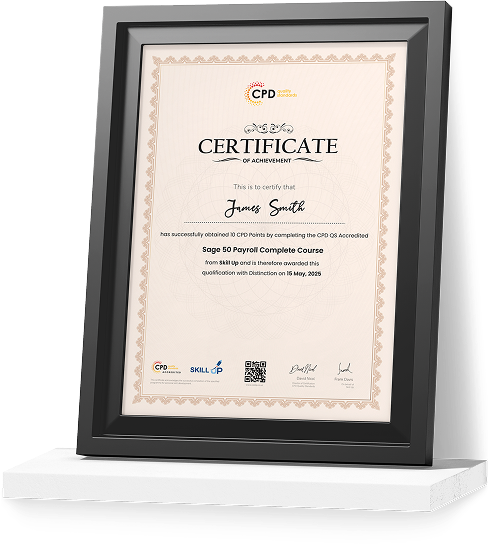
Earn Your Accredited Certificate with Transcript

Save 20% with the coupon code SKILL20
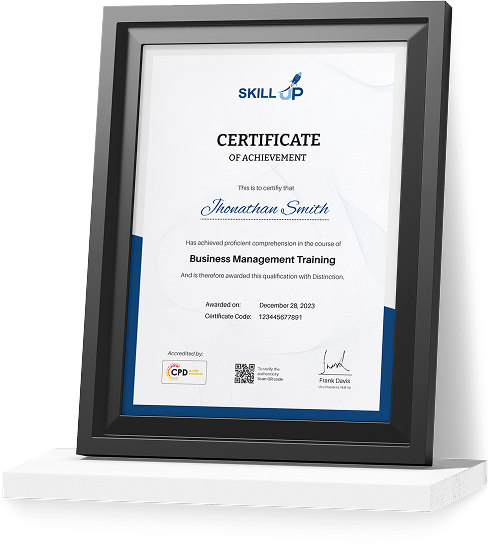
Show Your Certified Identity with a CPD-QS Certificate

Perfect for employers, clients, or academic verification.
Career Path

Creative salaries vary by experience, location and portfolio, but advanced Illustrator skills can support many design roles.

Frequently Asked Questions

Adobe Illustrator CC is Adobe’s Creative Cloud version of Illustrator. It is used for vector graphics, logos, icons, typography and brand artwork. This Adobe Illustrator Advanced Course Online UK helps learners improve control over advanced tools and creative workflows.

Adobe Illustrator is manageable with the right structure. However, advanced tools need time and practice. This Adobe Illustrator advanced training suits learners who already know the basics and want to improve typography, colour, masks and vector artwork.

Canva is useful for quick template-based visuals. However, Illustrator offers more control for logos, typography, masks, patterns and brand systems. Therefore, this adobe illustrator advanced course online helps learners move beyond templates and create more refined design work.

You will explore advanced typography, swatches, recolouring, gradients, Gradient Mesh, Live Paint, Pen features, 3D effects, Envelope Distort, symbols, Puppet Warp, Image Trace, masks, actions, artboards and global edits. As a result, you can build a stronger Illustrator workflow.

Yes. Adobe Illustrator is widely used for logo design, brand identity, icons, typography systems and scalable vector graphics. In addition, this Adobe Illustrator masterclass style course supports refined artwork, colour systems and brand design workflows.

Yes. Learners can receive certification after completing the course requirements. As a result, this Adobe Illustrator course with certificate can support your CV, portfolio and professional development. However, it is not the same as official Adobe certification.

Adobe Illustrator CC Advanced Reviews

Excellent

4.7 / 5
Based on 10 reviews

98%

Would Recommend

211

Certified Learners

100%

Authentic Reviews
Benjamin Clarke

An excellent advanced Illustrator course. The typography and colour modules really improved my design workflow.

Holly Turner

Very detailed and easy to follow. I learned several new techniques that have enhanced my client projects.

Nathan Brooks

The lessons on gradients, meshes and Live Paint were brilliant. My artwork looks far more professional now.

Curriculum

  • play Introduction
    play 00:04:00
  • play OpenType SVG and Variable Fonts
    play 00:06:00
  • play Converting Type to Outlines
    play 00:03:00
  • play Using Type Styles
    play 00:08:00
  • play Placing Type from Files
    play 00:04:00
  • play Using Find and Replace
    play 00:05:00
  • play Working with Area Type Options
    play 00:05:00
  • play Threading Type
    play 00:03:00
  • play Wrapping Text Around Objects
    play 00:04:00
top