Cart
No products in the basket.
Log In Sign Up

Login

Advanced Google Docs Course

Get 92% Discount | CPD Accredited | Affordable Pricing | No Hidden Charges | 24/7 Tutor Support | Instant Access
4.6
★ ★ ★ ★ ★
★ ★ ★ ★ ★
6 Reviews

stds2 Students

Accreditation Icon
Accreditation Icon

Overview: Advanced Google Docs Course

  • If you want to improve document creation, organisation, and collaboration skills using one of the most widely used cloud-based productivity platforms, the Advanced Google Docs Course is designed to build confidence and practical capability for everyday and professional document workflows.
  • Google Docs offers far more than basic typing and formatting. Modern users increasingly rely on advanced features to create polished reports, structured documents, collaborative content, and efficient digital workflows that support productivity and communication.
  • This course introduces learners to advanced Google Docs functions through guided training that covers document setup, formatting tools, collaboration features, automation options, shortcuts, translation capabilities, and professional document management techniques.
  • Whether you are a student, business professional, educator, administrator, or entrepreneur, developing stronger Google Docs skills helps improve efficiency and streamline document-based work.

What Is Advanced Google Docs Course?

The Advanced Google Docs Course is a practical training programme designed to help learners move beyond basic document editing and develop stronger skills for creating professional-quality documents using Google Docs.

This course explores the core features that support document organisation, collaboration, formatting consistency, and workflow efficiency. Learners will work through document creation, account and storage setup, user interface navigation, styles, tables, images, comments, suggestions, version history, sharing functions, and advanced productivity tools.

The training also introduces features that improve document accessibility and communication, including translation options, voice typing, templates, Google Drawings integration, explore tools, printing controls, and keyboard shortcuts.

By completing this course, learners build practical confidence in managing documents more efficiently while creating content that looks organised, professional, and easy to share.

Course Description

The Advanced Google Docs Course begins with foundational setup and navigation to help learners become comfortable with Google Account integration, Google Drive, and document management processes. Learners explore creating, saving, and organising documents while understanding the user interface and essential controls.

As the course progresses, learners develop stronger formatting skills through text styles, formatting tools, headers, footers, footnotes, page setup, fonts, and table creation techniques. The curriculum also introduces methods for improving document structure through table of contents features and consistent document styling.

Further modules focus on collaboration and editing workflows. Learners discover how to share documents, receive shared files, manage comments, use suggestions, restore previous versions, and recover documents efficiently. These skills support productive teamwork and smoother digital communication.

The course continues with advanced productivity techniques including add-ons, explore features, Google Drawings, image handling, templates, keyboard shortcuts, custom shortcuts, voice typing, and instant document translation. Learners also gain knowledge of document review and publishing options that improve output quality.

By completing this structured training, participants develop a strong understanding of advanced Google Docs tools and professional document workflows that support education, business, and personal productivity.

Learning Outcome

Who Is This Course For?

Why Enrol in This Advanced Google Docs Course?

Modern workplaces and learning environments increasingly depend on digital document platforms. Strong Google Docs skills help improve organisation, collaboration, communication, and productivity across different professional settings.

This course introduces advanced tools and features that transform ordinary documents into structured and professional outputs. Learners explore formatting methods, visual enhancements, and collaboration systems that support efficient document workflows.

Google Docs provides flexible cloud-based access and powerful editing options that reduce repetitive tasks and improve document quality. By developing confidence in using these features, learners can create clearer and more organised documents.

Whether used for work, study, or everyday productivity, this course supports stronger digital document capabilities and efficient online collaboration.

Advanced Google Docs Course Career Path

Developing advanced Google Docs abilities supports opportunities across administration, business support, office management, education, and digital productivity roles. Strong document creation and collaboration abilities are increasingly valued across modern workplaces where efficient communication and organised workflows are essential.

Typical career pathways include:

Administrative Assistant — £24,000–£32,000
Supports document preparation, communication, scheduling, and daily office operations using digital productivity tools.

Office Coordinator — £26,000–£38,000
Manages administrative workflows, document organisation, and team coordination within professional environments.

Executive Assistant — £30,000–£45,000
Creates, edits, and manages professional documents while supporting executives with efficient information handling.

Document Controller — £28,000–£42,000
Organises, maintains, and tracks business documentation while ensuring accurate version management.

Business Support Officer — £30,000–£40,000
Assists teams through document management, reporting, collaboration, and administrative support.

Virtual Assistant — £25,000–£40,000
Provides remote administrative and document support services while managing digital workflows.

Content Coordinator — £28,000–£45,000
Supports creation, editing, and organisation of digital content and professional documentation

Learning Support Administrator — £25,000–£38,000
Prepares and manages educational materials, reports, and structured documentation.

Professionals with stronger digital document abilities can continue progressing into broader administrative management, office operations, business coordination, and productivity-focused roles.

Enrol Today – Strengthen Your Google Docs Skills

By enrolling in this Advanced Google Docs Course, you develop stronger document creation and productivity abilities that support modern workplace workflows.

Learn how to create structured documents, improve collaboration, manage content efficiently, and use advanced Google Docs features to produce professional results.

Start improving your document workflow and build stronger digital productivity for future opportunities.

Certificate of Achievement

Upon successfully completing this Advanced Google Docs Course, learners will receive an Accredited Certificate confirming their achievement and knowledge of advanced Google Docs tools and document workflows.

We provide two recognised certificate options:

CPD-QS Certificate
Learners can obtain a certificate accredited by CPD Quality Standards (CPD-QS), supporting recognised professional development standards.

SKILL UP Brand Recognised Certificate
Learners will also receive a SKILL UP Certificate of Completion verifying successful completion of the training and learning outcomes.

Both certificates demonstrate completion of advanced digital document training.

Earn Your Accredited Certificate with Transcript

Save 20% with the coupon code SKILL20

Show Your Certified Identity with a CPD-QS Certificate

Perfect for employers, clients, or academic verification.

Frequently Asked Questions

The course is self-paced and can be completed according to your schedule.

Basic computer and internet skills are helpful, but no advanced experience is required.

Yes, the training supports professional and collaborative document workflows.

Yes, learners explore tools and shortcuts that improve document efficiency.

Google Docs offers free access with a Google account.

Advanced Google Docs Course Reviews

Excellent

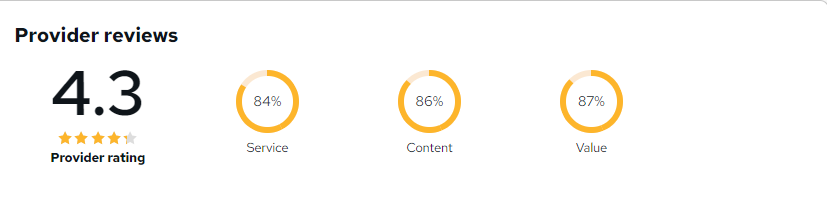
4.6 / 5
Based on 6 reviews

98%

Would Recommend

2

Certified Learners

100%

Authentic Reviews

A well-organised and highly valuable course with clear, easy-to-understand guidance throughout. I’ve gained knowledge that’s directly relevant to my day-to-day responsibilities. It’s given me greater confidence in applying these skills professionally.

Engaging content delivered in a straightforward and structured format. The examples were realistic and helped reinforce key concepts effectively. I would certainly recommend it to colleagues looking to upskill

Comprehensive, insightful and professionally presented from start to finish. The course materials were clear and well supported. A worthwhile investment for anyone serious about career development

Curriculum

  • play Introduction
    play 00:03:00
  • play video-0-google-account-drive-and-docs-c
    play 00:03:00
  • play video-1-creating-and-saving-c
    play 00:04:00
  • play Video-2-Tour-Of-User-Interface-C
    play 00:05:00
  • play Video-3-Ad-Ons-And-Dummy-Text-C
    play 00:02:00
  • play video-4-basic-text-formatting-c
    play 00:05:00
  • play Video-5-Using-Styles-in-Google-Docs-C
    play 00:08:00
  • play Video-6-Table-Of-Contents-C
    play 00:03:00
  • play video-7-the-paint-format-tool-c
    play 00:02:00
  • play Video-8-Header-Footer-And-Footnotes-C
    play 00:04:00
  • play Video-9-Word-Document-And-Spell-Check-C
    play 00:05:00
  • play Video-10-Page-Setup-C
    play 00:02:00
  • play video-11-adding-more-fonts-c
    play 00:02:00
  • play video-12-inserting-images-into-google-document-c
    play 00:05:00
  • play Video-13-Basic-Image-Operations-C.mp4
    play 00:01:00
  • play video-14-free-preview-creating-and-formatting-tables-c
    play 00:04:00
  • play Video-15-Free-Preview-Addind-Resolving-And-Assigning-Comments-C
    play 00:03:00
  • play video-16-making-and-handling-suggestions-c
    play 00:02:00
  • play video-17-sharing-documents-uc-new-c
    play 00:05:00
  • play video-18-receiving-a-shared-document-c
    play 00:05:00
  • play video-19-deleting-and-restoring-a-document-c
    play 00:03:00
  • play video-20-using-the-explore-features-c
    play 00:02:00
  • play Video-21-Google-Drawings-In-Google-Documents-C
    play 00:05:00
  • play video-22-email-options-google-document-c
    play 00:02:00
  • play video-23-restoring-a-previous-version-of-your-document-c
    play 00:04:00
  • play Video-24-Instantly Translate-A-Document-In-Any-Language-C
    play 00:02:00
  • play Video-25-Keyboard-Shortcuts-C
    play 00:01:00
  • play video-26-creating-your-own-shortcuts-c
    play 00:01:00
  • play Video-27-Voice-Typing-C
    play 00:01:00
  • play video-28-using-templates-c
    play 00:01:00
  • play video-29-printing-c
    play 00:02:00
top