Cart
No products in the basket.
Log In Sign Up

Login

Configuring VLAN on Mikrotik with RouterOS & SwOS

CPD Accredited | Affordable Pricing | No Hidden Charges | 24/7 Tutor Support | Instant Access
4.9
★ ★ ★ ★ ★
★ ★ ★ ★ ★
7 Reviews

stds110 Students

Accreditation Icon
Accreditation Icon

Overview

Need to separate guest users, staff devices, servers and management access on the same MikroTik network? This MikroTik VLAN Configuration Course is built for IT support technicians, network learners, junior engineers, MikroTik administrators and infrastructure support staff who want stronger VLAN control across RouterOS and SwOS.

✓ VLAN purpose, traffic separation and workflow.
✓ RouterOS VLAN with DHCP on Router Board devices.
✓ Switch chip, no-switch-chip and Q-in-Q configuration.
✓ CRS management VLAN and CSS VLAN setup through SwOS.

Because modern networks need cleaner segmentation and easier troubleshooting, this MikroTik VLAN course online helps learners connect VLAN design with real MikroTik device behaviour. Therefore, anyone studying MikroTik VLAN configuration, RouterOS VLAN configuration or a focused VLAN configuration course can build job-relevant networking confidence.

Course Description

This MikroTik VLAN Configuration Course focuses on VLAN setup across MikroTik Router Board, Cloud Router Switch and Cloud Smart Switch devices. It starts with Virtual Local Area Network concepts and explains why VLANs matter for traffic separation, network control, access planning and organised infrastructure design. This gives learners the background needed before working with RouterOS and SwOS settings.

The course then moves into MikroTik RouterOS VLAN work on Router Board products. Learners explore VLAN with DHCP, VLAN using the switch chip, VLAN without the switch chip and MikroTik Q-in-Q VLAN implementation. These areas show how VLAN setup can change depending on hardware features, switching behaviour and the structure of the network.

The final section focuses on MikroTik switching devices. Learners study MikroTik CRS VLAN configuration, management VLAN setup on Cloud Router Switch devices and MikroTik SwOS VLAN configuration on CSS switches using SwitchOS. As a result, this MikroTik networking course gives a focused route for learners seeking MikroTik Router Board VLAN, MikroTik CSS VLAN configuration and SwOS VLAN configuration knowledge in one structured learning path.

Learning Outcome

By completing this MikroTik VLAN Configuration Course, learners will be able to:

Who Is This Course For?

Certificate of Achievement

Earn Your Accredited Certificate with Transcript

Save 20% with the coupon code SKILL20

Show Your Certified Identity with a CPD-QS Certificate

Perfect for employers, clients, or academic verification.

Career Path

This course supports networking, infrastructure and IT support pathways. Salaries vary by employer, region, experience and certification level.

Frequently Asked Questions

To configure VLAN on a MikroTik router, you create VLAN interfaces, assign VLAN IDs, set bridge or port rules, add DHCP if needed, and test traffic flow. This MikroTik VLAN Configuration Course covers RouterOS VLAN setup step by step.

Yes. MikroTik supports VLANs through RouterOS and SwOS across Router Board, CRS and CSS devices. This course covers MikroTik VLAN configuration, including DHCP VLANs, switch chip methods, management VLANs and Q-in-Q.

RouterOS supports advanced routing, firewall, VLAN and network control features. SwOS focuses on switch management for MikroTik CSS devices. This course covers both RouterOS VLAN configuration and MikroTik SwOS VLAN setup.

The main purpose of a VLAN is to separate network traffic into controlled virtual networks. VLANs improve traffic organisation, access control, troubleshooting and network security. This VLAN configuration course explains VLAN use in MikroTik networks.

A data VLAN carries user, device or service traffic. A management VLAN is used to access and manage network devices more securely. This course includes MikroTik CRS VLAN configuration and management VLAN setup.

MikroTik Q-in-Q VLAN places one VLAN tag inside another. It is useful for layered VLAN separation in larger or service-provider-style networks. This course introduces Q-in-Q within MikroTik VLAN workflows.

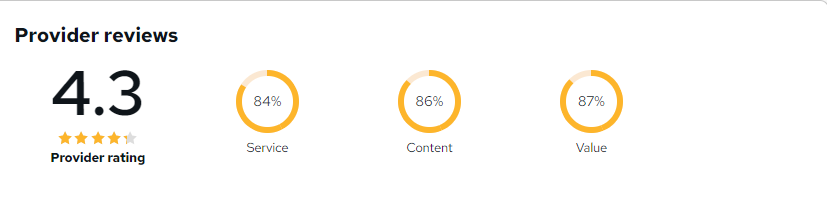
Configuring VLAN on Mikrotik with RouterOS & SwOS Reviews

Excellent

4.9 / 5
Based on 7 reviews

98%

Would Recommend

110

Certified Learners

100%

Authentic Reviews
Ryan Middleton

Very informative and focused on real-world MikroTik networking tasks rather than unnecessary theory.

Jack Thornton

The VLAN troubleshooting concepts and Q-in-Q lessons were particularly valuable.

Hannah McCarthy

Easy to understand, even with limited MikroTik experience. The course built my confidence quickly.

Curriculum

  • play An Introduction to VLAN
    play 00:01:00
  • play Importance of VLAN in Network and Work Procedure Part-1
    play 00:18:00
  • play Importance of VLAN in Network and Work Procedure Part-2
    play 00:16:00
top