
Cart
No products in the basket.
Log In Sign Up

Login

Video Projection Mapping in HeavyM

Get 92% Discount | CPD Accredited | Affordable Pricing | No Hidden Charges | 24/7 Tutor Support | Instant Access
4.8
★ ★ ★ ★ ★
★ ★ ★ ★ ★
8 Reviews

stds118 Students

Accreditation Icon
Accreditation Icon

Overview

Want to transform ordinary surfaces into immersive visual experiences? Whether you are a motion designer, AV technician, digital artist, or creative enthusiast, this Video Projection Mapping in HeavyM course teaches the skills to create engaging projection mapping projects. As demand for interactive visuals grows, learning HeavyM can expand opportunities across events, exhibitions, and digital installations.

Therefore, this Projection Mapping Course Online guides you through the complete HeavyM workflow. Along the way, you will explore:

✓ Installing and navigating the HeavyM interface.
✓ Creating media, shapes, scenes, and visual effects.
✓ Using Syphon, Synesthesia, and the Olga Kit.
✓ Producing professional Video Projection Mapping projects.

Whether you are looking for a HeavyM Course, a Projection Mapping Course in the UK, or want to learn projection mapping, this CPD-accredited course offers flexible learning and recognised certification.

Course Description

This Video Projection Mapping in HeavyM course provides a structured introduction to one of the most popular tools used for creating immersive visual displays. You will begin by downloading and installing HeavyM before exploring its interface, workspace, and project structure. Consequently, you will gain the confidence to navigate the software and understand how projection mapping projects are built from start to finish.

As your learning progresses, you will explore media creation, interface tools, custom shapes, scenes, and a wide range of built-in visual effects, including borders, repetition, colour controls, rotation, and structural adjustments. Furthermore, you will learn how to import media and combine these features to produce engaging Video Projection Mapping content for live events, exhibitions, retail displays, art installations, and creative presentations. Each lesson builds naturally on the previous one, making the learning journey clear and easy to follow.

Unlike many introductory programmes, this HeavyM Course goes beyond the fundamentals by introducing Syphon, VDMX5, Synesthesia, and the Olga Kit to demonstrate modern HeavyM Projection Mapping workflows. In addition, you will explore how these tools integrate with HeavyM before reviewing a complete project that brings every concept together. Whether you are looking for an Online Projection Mapping Course, Projection Mapping Training, or want to strengthen your skills in Projection Mapping with HeavyM, this Projection Mapping Course UK offers a comprehensive learning experience to help you learn projection mapping with confidence while earning a recognised CPD certificate.

Learning Outcome

After completing this course, you will be able to:

Who Is This Course For?

Certificate of Achievement

Earn Your Accredited Certificate with Transcript

Save 20% with the coupon code SKILL20
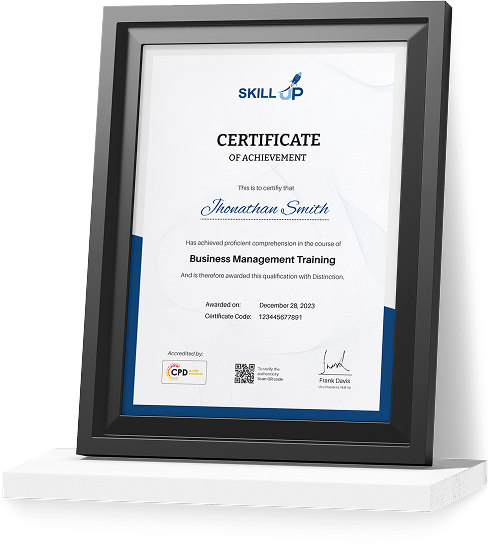
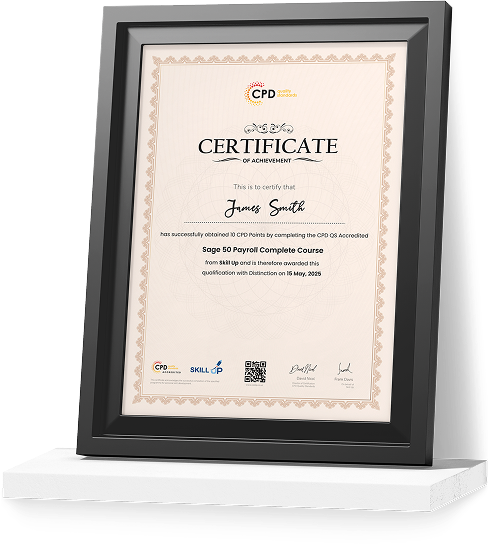
Show Your Certified Identity with a CPD-QS Certificate

Perfect for employers, clients, or academic verification.
Career Path

Frequently Asked Questions

Video Projection Mapping in HeavyM uses HeavyM software to project digital visuals onto buildings, stages, products, and other surfaces. This Video Projection Mapping Course teaches the complete workflow, from software setup to creating immersive visual experiences.

The best way to learn projection mapping is through a structured Online Projection Mapping Course. This CPD-accredited training guides you through HeavyM, visual effects, scenes, media creation, and professional mapping techniques at your own pace.

Several applications support projection mapping; however, HeavyM is one of the most beginner-friendly options. This HeavyM Course focuses on Projection Mapping with HeavyM, helping you build recognised skills using industry-relevant software.

HeavyM offers a free version with limited features, while premium plans unlock advanced tools. This Projection Mapping Course Online teaches the core features and creative workflows, making it easier to progress regardless of the version you use.

You typically need a computer, a compatible projector, HeavyM software, and suitable media files. Additionally, this Projection Mapping Training explains how each component works together to produce effective Video Projection Mapping projects.

Yes. Projection mapping is a growing field across live events, entertainment, advertising, exhibitions, and digital media. Completing this Projection Mapping Course in the UK helps develop HeavyM Projection Mapping skills while earning a CPD-accredited certificate to support your professional growth.

Video Projection Mapping in HeavyM Reviews

Excellent

4.8 / 5
Based on 8 reviews

98%

Would Recommend

118

Certified Learners

100%

Authentic Reviews
Oliver Bennett

A brilliant introduction to HeavyM. The lessons were easy to follow and helped me understand projection mapping much faster than expected.

Amelia Carter

Really enjoyed this course. The step-by-step approach made creating my first mapping project straightforward and enjoyable.

Ethan Hughes

Excellent content with clear explanations. I especially liked learning how Synesthesia and Syphon work with HeavyM.

Curriculum

  • play Module 01: Introduction
    play 00:01:00
  • play Module 02: Downloading HeavyM
    play 00:01:00
  • play Module 03: Installing HeavyM
    play 00:01:00
  • play Module 04: Example Project
    play 00:02:00
  • play Module 05: Opening and Interface
    play 00:04:00
  • play Module 06: Interface and shapes
    play 00:03:00
  • play Module 07: Creating Media
    play 00:05:00
  • play Module 08: Border effect
    play 00:01:00
  • play Module 09: Repeat effect
    play 00:02:00
  • play Module 10: Colour Special
    play 00:02:00
  • play Module 11: Snake effect
    play 00:02:00
  • play Module 12: Rotation & Structure
    play 00:03:00
  • play Module 13: Importing Media
    play 00:04:00
  • play Module 14: Scenes
    play 00:07:00
  • play Module 15: Creating your own shapes
    play 00:02:00
  • play Module 16: What is syphon?
    play 00:01:00
  • play Module 17: Syphon VDMX5
    play 00:04:00
  • play Module 18: Synesthesia
    play 00:02:00
  • play Module 19: Activate Synesthesia
    play 00:01:00
  • play Module 20: Syphon Synesthesia into HeavyM
    play 00:03:00
  • play Module 21: Mapping with the Olga Kit
    play 00:05:00
  • play Module 22: Made in HeavyM
    play 00:12:00
  • play Module 23: Review Video
    play 00:01:00
top