
Overview
CPD Accredited Microsoft Excel Power Query Course. Develop the skills to organise, reshape, and automate Excel data using Power Query, helping you turn complex spreadsheets into accurate, analysis-ready reports.
Modern organisations rely on clean, reliable data to make informed decisions, making Power Query one of the most valuable Microsoft Excel tools for data preparation. Whether you work with sales reports, financial records, or business spreadsheets, learning how to clean, combine, and transform data efficiently can save time and improve reporting accuracy. This course in Excel is designed for anyone looking to strengthen their spreadsheet expertise through flexible Excel online learning.
Throughout the course, you’ll explore:
✓ Importing and transforming data with the Power Query Editor.
✓ Using filtering, grouping, joins, and convert table techniques to organise datasets.
✓ Combining data from folders and multiple workbooks into structured Excel tables.
✓ Preparing reliable data for PivotTables, dashboards, and business reporting.
Build confidence with Power Query workflows widely used across finance, administration, operations, and business analysis. If you’re comparing courses in Excel, this focused programme provides a structured way to develop modern Excel data management skills.
Course Description
This Microsoft Excel Power Query course in the UK provides a structured pathway for learners who want to improve how they manage and transform data within Excel. The course begins by introducing the Power Query interface and tools, helping you understand how Power Query, the Query Editor, and Excel data transformation workflows operate together.Â
As you move forward, you will work through essential transformation techniques that are widely used in real business scenarios. These include cleaning text values, formatting data, splitting and restructuring columns, grouping and filtering datasets, and reshaping data through pivoting, unpivoting, convert table techniques, structured Excel table formatting, sorting, filtering, and transforming columns. Each concept builds your ability to handle messy datasets through data import and cleaning, structured Excel tables, and efficient spreadsheet organisation.Â
The course also covers advanced data handling processes such as importing data from folders, working with multiple files, extracting structured information, and combining datasets using joins, merging, Full Outer Join, and Right Anti Join techniques. . By the end of the course, you will be able to convert tables, prepare structured datasets, and create analysis-ready spreadsheets suitable for reporting, dashboards, and business data analysis.
Key Benefits of This Course
When evaluating a Microsoft Excel Power Query course in the UK, the real advantage comes from how it improves your efficiency and professional capability:
- Save time by automating repetitive Excel online workflows using Power Query.
- Clean, transform, and convert table data into structured formats using the Query Editor.
- Strengthen your CV with in-demand Power Query and Excel data skills.
- Prepare reliable datasets for PivotTables, reporting, dashboards, and data visualisation.
- Import, combine, and clean data from folders, workbooks, and multiple data sources.
- Learn Power Query online UK with flexible study that fits around your schedule.
- Build confidence in solving real-world data problems across different roles.
This course helps you move from manual work to smart, efficient data handling.
Learning Outcome
By the end of this Excel Power Query course in the UK, you will be able to:
- Understand how Power Query operates within Excel and manage data workflows effectively.
- Apply transformation techniques to clean, filter, and structure datasets.
- Develop the ability to reshape data using grouping, pivoting, unpivoting, and convert table techniques.
- Analyse and combine multiple datasets using joins and merging methods.
- Implement automated data import and cleaning processes using Power Query.
- Demonstrate confidence in handling real-world data transformation challenges.
- Evaluate datasets and prepare structured Excel tables for reporting and business spreadsheet analysis.
Who Is This Course For?
- Excel users looking for courses in Excel that improve efficiency through Power Query.
- Data analysts and aspiring analysts who want to automate data transformation tasks.
- Professionals in finance, marketing, and operations working with large or complex datasets.
- Beginners searching for Power Query for beginners in the UK with a clear and structured approach.
- Professionals wanting to strengthen their CV with Microsoft Excel, Power Query, and spreadsheet analysis skills.
- Students preparing for data analysis, reporting, or business intelligence roles.
- Anyone searching for an Excel online course to learn Power Query and reduce manual spreadsheet work.
Certificate of Achievement
Earn Your Accredited Certificate with Transcript
Save 20% with the coupon code SKILL20
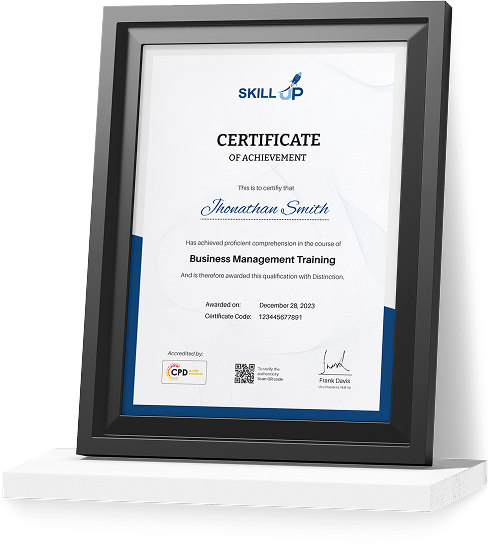
Show Your Certified Identity with a CPD-QS Certificate
Perfect for employers, clients, or academic verification.

Career Path
Completing this course in Excel will strengthen your ability to manage, transform, and prepare business data using Power Query, supporting progression into a range of data-focused and analytical roles across the UK.
- Data Analyst (£25,000–£40,000): Analyse business data to identify trends, produce reports, and support informed decision-making. Knowledge of Power Query, spreadsheet analysis, and data transformation helps prepare clean, analysis-ready datasets for reporting.
- Business Analyst (£35,000–£55,000): Evaluate business processes, interpret operational data, and recommend improvements. The skills gained in this Excel online course support efficient data preparation, structured reporting, and workflow optimisation.
- Reporting Analyst (£28,000–£45,000): Develop accurate reports and dashboards by transforming data from multiple sources. Understanding Power Query, convert table techniques, joins, and structured Excel tables helps streamline reporting tasks.
- Operations Analyst (£30,000–£50,000): Monitor business performance, improve operational efficiency, and manage large datasets. This programme develops the Excel data management skills needed to clean, combine, and organise information effectively.
- Excel Specialist / Data Executive (£27,000–£42,000): Manage business spreadsheets, automate repetitive processes, and maintain reliable data systems. Learners completing one of today's courses in Excel will understand the Query Editor, data import, transformation workflows, and spreadsheet automation techniques widely used across modern organisations.
Career progression depends on experience, continued learning, and the responsibilities of each role. The Microsoft Excel and Power Query skills developed through this course provide a strong foundation for further growth in data analysis, business intelligence, and reporting careers.
Frequently Asked Questions
Power Query is a built-in Microsoft Excel tool that simplifies data import and cleaning, Excel data transformation, and combining information from multiple sources. Learning Power Query helps you automate repetitive tasks, improve data accuracy, and prepare structured datasets for reporting and business analysis.
Yes. This course in Excel is suitable for beginners and existing Excel users. You’ll start with the Power Query interface and Query Editor before progressing to data transformation, filtering, joins, and advanced workflow techniques through flexible Excel online learning.
You’ll learn to clean and transform data, convert table data into structured Excel tables, merge datasets, automate workflows, and prepare information for reports, PivotTables, dashboards, and business data analysis.
Yes. This flexible Excel online course allows you to study whenever it suits you. It’s ideal for professionals, students, and anyone looking for courses in Excel that fit around work or personal commitments.
Power Query is widely used in finance, operations, reporting, marketing, and data analysis. Developing these Excel skills can strengthen your CV and support roles involving spreadsheet analysis, reporting, and business data management.
Excel formulas calculate data within worksheets, while Power Query focuses on importing, cleaning, transforming, and combining datasets. Learning both gives you a stronger Microsoft Excel skill set and improves productivity when managing complex spreadsheets.
Yes. Power Query can import data from folders and workbooks, convert table data into structured formats, merge multiple datasets, and prepare clean information for reporting, PivotTables, and dashboards.
Microsoft Excel: Master Power Query in 120 Minutes Reviews

Excellent
98%
Would Recommend109
Certified Learners100%
Authentic ReviewsAn excellent Power Query course that made complex data transformation much easier to understand. Clear and practical throughout.
The lessons were concise and packed with useful Excel techniques. I've already started using Power Query at work.
Great course for learning how to automate repetitive spreadsheet tasks. The join and merge sections were particularly valuable.
Curriculum
-
Power Query Intro and Excel version
00:03:00
-
Excel Power Query – Introduction
00:03:00
-
Excel Power Query – Query Editor Ribbon
00:09:00
-
Transform Data – Trim in Excel Power Query
00:05:00
-
Transform Data – Format Dates and Values in Excel Power Query
00:02:00
-
Transform Data – Parsing URLs in Excel Power Query
00:05:00
-
Transform Data – Split Text Fields in Excel Power Query
00:10:00
-
Transform Data – Group By in Excel Power Query
00:03:00
-
Transform Data – Unpivoting Columns in Excel Power Query
00:05:00
-
Transform Data – Pivoting Columns in Excel Power Query
00:02:00
-
Transform Data – Split Columns into Other Columns in Excel Power Query
00:04:00
-
Transform Data – Filtering Rows in Excel Power Query
00:05:00
-
Transform Data – Sorting Columns in Excel Power Query
00:02:00
-
Transform Data – Transform and Add Columns in Excel Power Query
00:07:00
-
From Folder – Import From Folder in Excel Power Query
00:07:00
-
From Folder – Doing Auto Cleanup in Excel Power Query
00:13:00
-
From Folder – Extract Data from Forms in Excel Power Query
00:13:00
-
From Workbook – Extract Multiple Criteria in Excel Power Query
00:05:00
-
From Workbook – Extract Multiple Worksheets in Excel Power Query
00:04:00
-
Joins – Intro to Joins
00:04:00
-
Joins – Merging
00:08:00
-
Joins – Full Outer Join
00:06:00
-
Joins – Right Anti Join
00:09:00
-
Power Query – Convert Reports into Pivot Tables
00:05:00
-
Modulo
00:06:00
-
Order Your Certificate

Offer Ends in
-
Duration:2 hours, 25 minutes
-
Access:1 Year
-
Units:26

9 Reviews

TAKE ALL COURSES FOR £99