
Overview: Microsoft Office 2013 Word Advanced Course
If you already know the basics of Microsoft Office 2013 Word but want to create more professional, structured, and visually polished documents, the Microsoft Office 2013 Word Advanced Course is designed to take your skills to the next level.
In modern workplaces, document quality matters. Business reports, internal communications, proposals, academic papers, and organisational records must be clear, consistent, and professionally formatted. Employers increasingly expect professionals to go beyond basic typing and editing and demonstrate the ability to organise information effectively, present data clearly, and maintain consistent formatting across complex documents.
This course bridges the gap between beginner-level word processing and advanced document management. You will learn practical techniques used in real workplace environments to structure documents, integrate visual elements, and improve document presentation. These skills allow you to produce polished reports, organised documentation, and visually engaging content that communicates information more effectively.
Whether you work in administration, business support, education, or any professional environment where documentation plays a key role, developing AdvancedMicrosoft Word skills can significantly improve productivity and professional credibility. By mastering these tools, you will be able to create documents faster, maintain consistent formatting, and deliver high-quality work that meets modern workplace standards.
What Is Microsoft Office 2013 Word Intermediate?
Microsoft Office 2013 Word Advanced focuses on practical document formatting, layout management, and content organisation techniques that professionals use daily. While basic Word users can type and edit documents, Advanced users know how to structure information clearly, present data visually, and maintain professional document consistency.
In this course, learners develop the ability to work confidently with tables, charts, images, document styles, templates, and structured layouts. These tools allow you to organise complex information, improve document readability, and create professional reports or documents suitable for business, academic, and organisational use.
The course also introduces powerful productivity tools such as reusable templates, mail merge automation, and Quick Parts, helping you save time when creating repetitive documents or large batches of communications.
By the end of the training, you will understand how to combine formatting, layout, and visual tools within Microsoft Word to produce documents that are not only accurate but also visually organised and professionally presented.
Description: Structured Microsoft Word Advanced Training
This Microsoft Office 2013 Word Advanced course begins with essential techniques for working with tables and charts to organise structured information within documents. Learners will explore how to sort table data, control cell layouts, perform calculations directly inside tables, and transform data into visual charts that improve clarity in reports and professional documents.
The training then progresses into customising document formats using styles and themes. You will learn how to create and modify text styles, design custom list and table styles, and apply document themes that ensure consistent formatting across large reports or multi-page documents. These techniques help maintain visual consistency and professional presentation in business or academic documentation.
Learners will also explore how to integrate images and multimedia elements effectively. The course covers resizing images, adjusting their appearance, positioning pictures alongside text, inserting screenshots, and embedding video where appropriate. These skills help transform ordinary documents into visually engaging and informative materials.
The curriculum further develops document design capabilities through custom visual elements such as text boxes, pull quotes, shapes, WordArt, and SmartArt graphics. In addition, learners will discover how to use Quick Parts and reusable building blocks to insert commonly used content quickly, saving time during document creation.
Advanced layout control is also covered, including managing paragraph flow, inserting section breaks, creating multi-column layouts, and linking text boxes to control how information flows across pages. Finally, the course introduces templates, mail merge tools for generating bulk communications such as letters and labels, and macros that automate repetitive tasks.
This structured and practical curriculum ensures learners gain real-world Microsoft Word skills that improve efficiency, document quality, and professional productivity.
Learning Outcome
- Organise structured information using tables and charts
- Apply professional formatting with styles and document themes
- Integrate images, screenshots, and multimedia effectively within documents
- Create visual elements using shapes, SmartArt, and WordArt
- Insert reusable content quickly using Quick Parts and building blocks
- Control document layout using section breaks, columns, and formatting tools
- Create reusable templates for consistent document production
Who Is This Course For?
- Individuals who understand basic Microsoft Word functions and want to develop stronger document formatting and presentation skills.
- Office professionals who prepare reports, proposals, internal documents, and structured communication materials.
- Administrative staff who manage large documents or business records and want to improve formatting efficiency and layout techniques.
- Students, researchers, and academic professionals creating coursework, research papers, or structured reports who wish to enhance clarity and organisation.
- Professionals preparing for administrative, business support, project coordination, or documentation roles where strong Microsoft Office skills are required by employers.
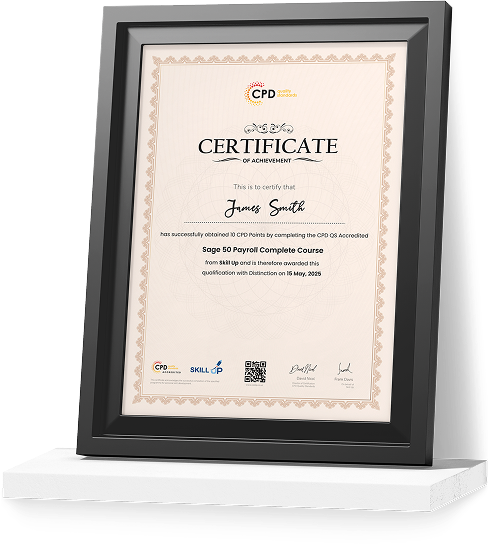
Certificate of Achievement
Earn Your Accredited Certificate with Transcript
Save 20% with the coupon code SKILL20

Show Your Certified Identity with a CPD-QS Certificate
Perfect for employers, clients, or academic verification.
Why Enrol in This Microsoft Office 2013 Word Advanced Course?
This course focuses on practical, job-relevant skills that help you produce professional-quality documents quickly and efficiently. Instead of simply teaching basic editing functions, the training shows you how to structure information clearly, apply consistent formatting, and enhance documents with visual elements that improve readability.
Professionals with strong Microsoft Word skills often complete document tasks significantly faster than those relying only on basic formatting tools. These capabilities allow you to handle reports, project documentation, and professional communication more efficiently while maintaining consistent presentation standards.
By developing Advanced Microsoft Word expertise, you strengthen your professional skillset and increase your value in workplaces where documentation accuracy, organisation, and presentation quality are essential.
Whether you want to improve workplace productivity, enhance your professional profile, or prepare for more advanced document management skills, this course provides the practical training needed to achieve those goals.
Certificate of Completion
Upon successfully completing this Microsoft Office 2013 Word Advanced course, learners will receive a Accredited Certificate that verifies their ability to work with intermediate-level Microsoft Word tools confidently and effectively.
We provide two recognised certificate options:
CPD-QS Certificate
Learners can obtain a certificate accredited by CPD Quality Standards (CPD-QS). This accreditation confirms that the course meets recognised Continuing Professional Development (CPD) standards. It demonstrates your commitment to ongoing learning and professional growth, which is highly valued across office administration, business support, and corporate environments.
SKILL UP Brand Recognised Certificate
Learners will also receive a SKILL UP Certificate of Completion. This certificate verifies that you have successfully completed the Microsoft Office 2013 Word Advanced training and achieved the required learning outcomes. It highlights your ability to manage document formatting, layout control, visual content integration, and workflow efficiency using Microsoft Word.
Both certificates demonstrate that you have developed essential job-ready skills in professional documentation. Employers often value candidates who can produce well-structured and professionally formatted documents. Therefore, holding a CPD-QS accredited certificate alongside a SKILL UP Certificate can strengthen your CV, enhance your professional portfolio, and support your ongoing career progression.
Microsoft Word Career Path
Intermediate Microsoft Word skills support many professional roles where structured documentation and communication are essential to daily operations.
Typical career pathways include:
- ➽ Administrative Assistant — £28,000–£38,000
Supports office operations by preparing reports, managing records, and handling internal documentation using Microsoft Office tools. - ➽ Office Administrator — £30,000–£40,000
Responsible for organising documentation, coordinating communication, and managing administrative workflows within business environments. - ➽ Project Assistant — £32,000–£42,000
Supports project teams by preparing documentation, maintaining structured reports, and organising project communication materials. - ➽ Documentation Specialist — £35,000–£48,000
Creates, manages, and maintains structured documents, manuals, and internal communication resources for organisations. - ➽ Business Support Officer — £34,000–£46,000
Coordinates administrative operations, prepares reports, and manages documentation processes across departments.
Professionals who combine Microsoft Word expertise with strong organisational and communication skills can progress toward specialised roles in administration, documentation management, project coordination, and office operations.
Enrol Today – Strengthen Your Professional Document Skills
By enrolling in this Microsoft Office 2013 Word Advanced course, you begin building practical skills that improve document presentation, formatting efficiency, and workplace productivity.
Professional documentation remains essential across business, education, and administrative sectors. Developing these Advanced Microsoft Word capabilities allows you to create structured, visually organised, and professional documents with greater speed and confidence.
Start developing the skills that help professionals produce clearer reports, stronger documentation, and more effective communication in modern workplaces.
Frequently Asked Questions
Some prior knowledge of Microsoft Office 2013 Word is recommended, but learners with basic experience can follow the course.
Yes, the course teaches methods to protect sensitive files and manage access restrictions effectively.
The duration varies but is typically completed in a few days to a few weeks depending on study pace.
Yes. Advanced skills in Microsoft Office 2013 Word are valued in administrative, corporate, and academic roles.
Absolutely. Learners will create interactive forms and add reference marks and notes professionally.
Microsoft Office 2013 Word Advanced Reviews
Excellent
98%
Would Recommend75
Certified Learners100%
Authentic Reviews
A well-organised and highly valuable course with clear, easy-to-understand guidance throughout. I’ve gained knowledge that’s directly relevant to my day-to-day responsibilities. It’s given me greater confidence in applying these skills professionally.
Engaging content delivered in a straightforward and structured format. The examples were realistic and helped reinforce key concepts effectively. I would certainly recommend it to colleagues looking to upskill
Comprehensive, insightful and professionally presented from start to finish. The course materials were clear and well supported. A worthwhile investment for anyone serious about career development
Curriculum
-
Modify User Information
00:06:00
-
Share a Document
00:03:00
-
Compare Document Changes
00:09:00
-
Review a Document
00:11:00
-
Merge Document Changes
00:01:00
-
Review Tracked Changes
00:09:00
-
Coauthor Documents
00:10:00
-
Add Captions
00:07:00
-
Add Cross-References
00:09:00
-
Add Bookmarks
00:08:00
-
Add Hyperlinks
00:06:00
-
Insert Footnotes and Endnotes
00:06:00
-
Add Citations and a Bibliography
00:14:00
-
Insert Blank and Cover Pages
00:06:00
-
Insert an Index
00:12:00
-
Insert a Table of Contents
00:05:00
-
Insert an Ancillary Table
00:09:00
-
Manage Outlines
00:08:00
-
Create a Master Document
00:08:00
-
Suppress Information
00:08:00
-
Set Formatting and Editing Restrictions
00:04:00
-
Add a Digital Signature to a Document
00:09:00
-
Restrict Document Access
00:03:00
-
Create Forms
00:14:00
-
Manipulate Forms
00:04:00
-
Mock Exam- Microsoft Office 2013 Word Advanced – Complete Video Course
00:20:00
-
Final Exam- Microsoft Office 2013 Word Advanced – Complete Video Course
00:20:00
Offer Ends in
-
Duration:3 hours, 49 minutes
-
Access:1 Year
-
Units:27

9 Reviews

TAKE ALL COURSES FOR £99




