
.png) 7 Reviews
7 Reviews 6 Students

 Microsoft Office Excel Course Overview
 Microsoft Office Excel Course Overview
 Microsoft Office Excel Course Description
Learning Outcome
 Learning Outcome
 Who Is This Course For?
 Who Is This Course For?
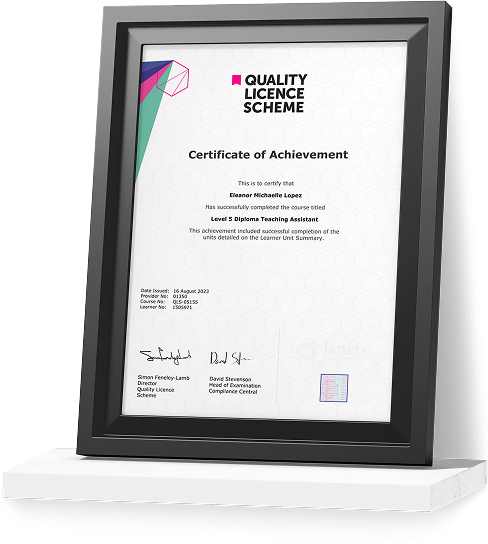
Certificate of Achievement
Earn Your Accredited Certificate with Transcript
Save 20% with the coupon code SKILL20

Get a QLS Certificate to Showcase Your Skills
Detailed record of your completed modules and qualifications.
Career Path
 Career Path
Microsoft Office Excel Beginner to Advanced Reviews

A well-organised and highly valuable course with clear, easy-to-understand guidance throughout. I’ve gained knowledge that’s directly relevant to my day-to-day responsibilities. It’s given me greater confidence in applying these skills professionally.

Engaging content delivered in a straightforward and structured format. The examples were realistic and helped reinforce key concepts effectively. I would certainly recommend it to colleagues looking to upskill

Comprehensive, insightful and professionally presented from start to finish. The course materials were clear and well supported. A worthwhile investment for anyone serious about career development
Curriculum
-
Navigate the Excel User Interface
00:28:00
-
Use Excel Commands
00:10:00
-
Create and Save a Basic Workbook
00:19:00
-
Enter Cell Data
00:12:00
-
Use Excel Help
00:05:00

 00:28:00
 -
Create Worksheet Formulas
00:15:00
-
Insert Functions
00:17:00
-
Reuse Formulas and Functions
00:17:00
-
Insert, Delete, and Adjust Cells, Columns, and Rows
00:10:00
-
Search for and Replace Data
00:09:00
-
Use Proofing and Research Tools
00:07:00
-
Apply Text Formats
00:16:00
-
Apply Number Format
00:08:00
-
Align Cell Contents
00:09:00
-
Apply Styles and Themes
00:12:00
-
Apply Basic Conditional Formatting
00:11:00
-
Create and Use Templates
00:08:00
-
Preview and Print a Workbook
00:10:00
-
Set Up the Page Layout
00:09:00
-
Configure Headers and Footers
00:07:00
-
Manage Worksheets
00:05:00
-
Manage Workbook and Worksheet Views
00:07:00
-
Manage Workbook Properties
00:06:00
-
Work with Ranges
00:18:00
-
Use Specialized Functions
00:12:00
-
Work with Logical Functions
00:24:00
-
Work with Date & Time Functions
00:08:00
-
Work with Text Functions
00:11:00
-
Sort Data
00:10:00
-
Filter Data
00:10:00
-
Query Data with Database Functions
00:09:00
-
Outline and Subtotal Data
00:09:00
-
Create and Modify Tables
00:16:00
-
Apply Intermediate Conditional Formatting
00:07:00
-
Apply Advanced Conditional Formatting
00:06:00
-
Create Charts
00:13:00
-
Modify and Format Charts
00:12:00
-
Use Advanced Chart Features
00:12:00
-
Create a PivotTable
00:13:00
-
Analyze PivotTable Data
00:12:00
-
Present Data with PivotCharts
00:08:00
-
Filter Data by Using Timelines and Slicers
00:11:00
-
Use Links and External References
00:12:00
-
Use 3-D References
00:06:00
-
Consolidate Data
00:06:00
-
Use Lookup Functions
00:13:00
-
Trace Cells
00:09:00
-
Watch and Evaluate Formulas
00:09:00
-
Collaborate on a Workbook
00:20:00
-
Protect Worksheets and Workbooks
00:08:00
-
Apply Data Validation
00:13:00
-
Search for Invalid Data and Formulas with Errors
00:04:00
-
Work with Macros
00:18:00
-
Create Sparklines
00:07:00
-
MapData
00:07:00
-
Determine Potential Outcomes Using Data Tables
00:09:00
-
Determine Potential Outcomes Using Scenarios
00:09:00
-
Use the Goal Seek Feature
00:04:00
-
Forecasting Data Trends
00:06:00
-
Introduction to Microsoft Excel 2019 New Features
00:07:00
-
CONCAT
00:02:00
-
IFS
00:01:00
-
MAXIFS
00:01:00
-
MINIFS
00:01:00
-
SWITCH
00:02:00
-
TEXTJOIN
00:01:00
-
Map Chart
00:02:00
-
Funnel Chart
00:01:00
-
Better Visuals
00:06:00
-
Pivot Table Enhancements
00:02:00
-
Power Pivot Updates
00:01:00
-
Resources – Microsoft Office Excel Beginner to Advanced
-
Assignment – Microsoft Office Excel Beginner to Advanced
-
Submit Your Assignment & Order QLS Certificate
-
Skill Up Recognised Certificate
-
Order CPDQS Certificate

Offer Ends in

 TAKE ALL COURSES FOR £99
-
Duration:11 hours, 5 minutes
-
Access:1 Year
-
Units:76

