Overview
Retro Badge Illustrator centres on building striking badge artwork through Adobe Illustrator using vintage tone balanced with modern clarity. This programme moves through themed badge creation, guiding visual storytelling, shape harmony, colour mood, and typographic rhythm. Through mountain identity marks, classic designer emblems, beverage branding symbols, and nautical travel crests, learners see how Flat Badge Design adapts across industries. Retro Badge Illustrator highlights layout precision, vector balance, and stylistic consistency while reinforcing Flat Badge Design decisions for digital or print use. Each module reflects how Retro Badge Illustrator connects nostalgia with clean geometry, therefore enabling Flat Badge Design suitable for branding collections, merchandise visuals, or promotional graphics.
Course Description
Imagination meets structure as Retro Badge Illustrator opens a creative pathway where visual heritage blends with crisp vector form. From the first badge sketch, momentum builds through layered shapes, symbolic icons, and expressive lettering. Consequently, Flat Badge Design becomes a storytelling medium rather than decoration. Retro Badge Illustrator shapes aesthetic judgement while encouraging thoughtful visual choices across varied themes.
Progressively, modules expand stylistic range. Mountain motifs highlight depth through simplicity, while retro designer concepts elevate branding personality. Meanwhile, the craft beer theme introduces texture illusion within Flat Badge Design, followed by sea travel visuals that reflect movement and exploration. Therefore, Retro Badge Illustrator supports adaptable thinking across branding needs.
Finally, cohesion becomes the priority. Visual balance, scalable vector output, and consistent badge language shape confident results. As a result, Flat Badge Design evolves into a commercial-ready asset set. Retro Badge Illustrator inspires creative confidence while encouraging refined visual identity suitable for modern markets.
Learning Outcome
- Create themed badge compositions using Retro Badge Illustrator workflows
- Apply Flat Badge Design principles across varied branding styles
- Build vector icons suitable for scalable identity systems
- Organise typography and symbolism within badge formats
- Prepare cohesive badge collections for digital presentation
Who Is This Course For?
- Graphic designers seeking Retro Badge Illustrator style expansion
- Branding creatives working with Flat Badge Design assets
- Illustrators interested in vintage-inspired visuals
- Digital artists refining vector badge layouts
- Freelancers developing identity-based graphics
Certificate of Achievement
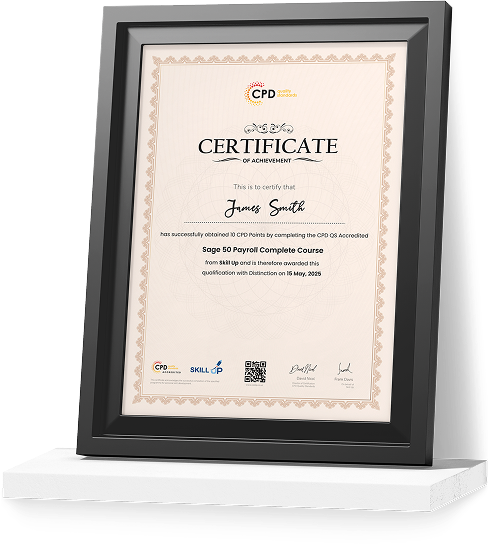
Earn Your Accredited Certificate with Transcript
Save 20% with the coupon code SKILL20

Show Your Certified Identity with a CPD-QS Certificate
Perfect for employers, clients, or academic verification.
Career Path
- Graphic Designer: £28,000 – £38,000
- Brand Identity Designer: £35,000 – £50,000
- Illustrator: £30,000 – £45,000
- Digital Designer: £32,000 – £48,000
- Visual Content Creator: £27,000 – £40,000
Curriculum
-
Introduction to the project
00:01:00
-
Create A New Document and Colour Swatches
00:03:00
-
Create the Main Shape
00:08:00
-
Add the Ribbon and Offset the Main Shape
00:05:00
-
Create the Mountains
00:04:00
-
Get Ready for The Clipping Part
00:03:00
-
Create the Compass
00:06:00
-
The Draw Inside Mode
00:04:00
-
Add the Main Text
00:04:00
-
Create the Ice Axes and Finish the Project
00:11:00
-
Let’s Explore the Project
00:01:00
-
Set Up A New Document
00:05:00
-
Set Up the Guides
00:04:00
-
Create the Main Star Shape
00:06:00
-
Create the Arrows
00:06:00
-
Create the Ribbon Using the Pen Tool
00:04:00
-
Create the Ribbon Using the Pencil Tool
00:04:00
-
Add the Ornaments
00:05:00
-
Add the Main Text
00:07:00
-
Add the Text on A Path
00:07:00
-
Add the Folds
00:06:00
-
Add the Texture
00:04:00
-
Finishing Touches
00:03:00
-
Kraft Beer-Introduction to The Project
00:01:00
-
Mark the Centre Spot of The Design
00:04:00
-
Create the Bottle Cap Background
00:05:00
-
Add the Second Set of Spikes
00:04:00
-
Add the Inner Background
00:03:00
-
Create A Custom Brush
00:07:00
-
Apply the Brush Strokes
00:03:00
-
Create the Main Beer Shape
00:04:00
-
Warp the Main Shapes
00:08:00
-
Create the Ornaments to Complete the Design
00:07:00
-
Adjust the Main Shape to Your Taste
00:02:00
-
Create the Foam
00:04:00
-
Add the Handle and Finish the Beer Glass
00:05:00
-
Create the Text and Finish the Badge
00:07:00
-
Introduction to The Seatravel Project
00:02:00
-
Create the First Elements of The Handle
00:07:00
-
Finish the Top Part of The Handle
00:08:00
-
Create the Main Wheel
00:03:00
-
Add the Reflections
00:05:00
-
Finish the Main Handle
00:07:00
-
Create the Steering Wheel
00:02:00
-
Create the Ribbon
00:06:00
-
Stylize the Ribbon
00:04:00
-
Add the Colours
00:04:00
-
Add the Main Text
00:05:00
-
Add the Subtext
00:02:00
-
Add the Side Ornaments and Finish the Project
00:05:00
Offer Ends in
-
Duration:3 hours, 55 minutes
-
Access:1 Year
-
Units:50

5 Reviews
All
Courses for £49