Overview
Microsoft Office Excel is a versatile spreadsheet application widely used for organising, analysing, and visualising data. This Advanced Diploma in Microsoft Office Excel with Free Certificate equips learners to confidently manage workbooks, use formulas, automate tasks, and create charts. With practical applications across industries, it empowers users to improve efficiency, make informed decisions, and handle complex datasets with ease.
Course Description
The world of Microsoft Office Excel with Free Certificate and transform raw data into insightful results. This course begins with essential skills such as performing calculations, formatting worksheets, and managing workbooks. Learners explore the foundations of Excel 2016 and progress to advanced functions, ensuring they can work seamlessly across multiple sheets and workbooks.
Intermediate modules focus on functions, lists, and data analysis, highlighting the power of charts, PivotTables, and PivotCharts. The course emphasises visualising and forecasting data, allowing learners to communicate findings clearly. With an in-depth look at automating workbook functionality, users can save time and increase productivity. Bonus content covers Microsoft Excel 2019 new features, keeping learners up to date with the latest advancements.
Advanced sections guide users through lookup functions, formula auditing, workbook protection, and sharing. By completing this Microsoft Office Excel with Free Certificate programme, participants gain the ability to analyse complex datasets efficiently. Whether preparing reports, creating dynamic dashboards, or performing predictive analysis, this course provides the tools to excel in any professional environment.
Note: Skill-up is a Janets-approved resale partner for Quality Licence Scheme Endorsed courses.
Key Benefits
- Achieve proficiency in Microsoft Office Excel with Free Certificate recognised across industries.
- Learn to organise, analyse, and visualise large datasets effectively.
- Enhance productivity with automation and advanced Excel features.
- Improve reporting and forecasting skills for data-driven decisions.
- Stay current with the latest Microsoft Excel 2019 updates and tools.
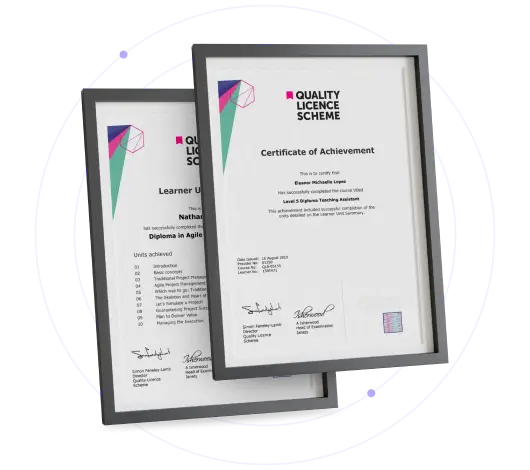
Certificate of Achievement
Free QLS Certificate Included
Quality Licence Scheme Endorsed Certificate
Upon completing the final assessment, you can apply for the Quality Licence Scheme Endorsed Certificate of Achievement. Endorsed certificates can be ordered and delivered to your home by post.
An extra £10 postage charge will be required for students leaving overseas.
Skill Up Recognised Certificate
Upon successfully completing this course, you can request a Skill Up Recognised Certificate. This certificate holds significant value, and its validation will endure throughout your lifetime.
1. PDF Certificate + PDF Transcript: FREE With This Course
2. Hard Copy Certificate + Hard Copy Transcript: £19.99
3. Delivery Charge: £10.00 (Applicable for International Students)
Note: There are no discount coupons available for this course at the moment.
Learning Outcome
- Confidently navigate multiple worksheets and workbooks.
- Apply advanced functions, formulas, and formula auditing techniques.
- Create dynamic charts, PivotTables, and dashboards.
- Automate repetitive tasks to save time and reduce errors.
- Protect, share, and manage workbooks securely in professional settings.
Who Is This Course For?
- Office professionals seeking advanced Excel capabilities.
- Students and graduates preparing for data-focused roles.
- Managers requiring efficient reporting and forecasting skills.
- Analysts aiming to enhance data visualisation expertise.
- Individuals pursuing career progression in finance, marketing, or administration.
Career Path
- Data Analyst: Collect, process, and interpret data to support business decisions. Average Salary: £28,000 – £45,000 per year
- Business Analyst: Analyse business processes, identify improvements, and present actionable insights. Average Salary: £30,000 – £50,000 per year
- Financial Analyst: Prepare financial reports, forecast trends, and assess investment opportunities. Average Salary: £32,000 – £55,000 per year
- Project Coordinator: Organise project tasks, monitor progress, and ensure timely delivery. Average Salary: £27,000 – £42,000 per year
- Office Manager: Oversee office operations, manage staff, and streamline administrative processes. Average Salary: £25,000 – £40,000 per year
Frequently Asked Questions
Yes, the course provides an accredited certificate accessible online upon completion.
Yes, learners explore automating tasks, macros, and advanced workbook functionality.
Absolutely, the curriculum includes data analysis, PivotTables, PivotCharts, and forecasting techniques.
Yes, bonus sections cover the latest 2019 features, ensuring up-to-date knowledge.
Yes, the course starts with beginner-friendly content and progressively advances to complex topics.
Curriculum
-
Navigate the Excel User Interface
00:28:00
-
Use Excel Commands
00:10:00
-
Create and Save a Basic Workbook
00:19:00
-
Enter Cell Data
00:12:00
-
Use Excel Help
00:05:00
-
Create Worksheet Formulas
00:15:00
-
Insert Functions
00:17:00
-
Reuse Formulas and Functions
00:17:00
-
Insert, Delete, and Adjust Cells, Columns, and Rows
00:10:00
-
Search for and Replace Data
00:09:00
-
Use Proofing and Research Tools
00:07:00
-
Apply Text Formats
00:16:00
-
Apply Number Format
00:08:00
-
Align Cell Contents
00:09:00
-
Apply Styles and Themes
00:12:00
-
Apply Basic Conditional Formatting
00:11:00
-
Create and Use Templates
00:08:00
-
Preview and Print a Workbook
00:10:00
-
Set Up the Page Layout
00:09:00
-
Configure Headers and Footers
00:07:00
-
Manage Worksheets
00:05:00
-
Manage Workbook and Worksheet Views
00:07:00
-
Manage Workbook Properties
00:06:00
-
Work with Ranges
00:18:00
-
Use Specialized Functions
00:12:00
-
Work with Logical Functions
00:24:00
-
Work with Date & Time Functions
00:08:00
-
Work with Text Functions
00:11:00
-
Sort Data
00:10:00
-
Filter Data
00:10:00
-
Query Data with Database Functions
00:09:00
-
Outline and Subtotal Data
00:09:00
-
Create and Modify Tables
00:16:00
-
Apply Intermediate Conditional Formatting
00:07:00
-
Apply Advanced Conditional Formatting
00:06:00
-
Create Charts
00:13:00
-
Modify and Format Charts
00:12:00
-
Use Advanced Chart Features
00:12:00
-
Create a PivotTable
00:13:00
-
Analyze PivotTable Data
00:12:00
-
Present Data with PivotCharts
00:08:00
-
Filter Data by Using Timelines and Slicers
00:11:00
-
Use Links and External References
00:12:00
-
Use 3-D References
00:06:00
-
Consolidate Data
00:06:00
-
Use Lookup Functions
00:13:00
-
Trace Cells
00:09:00
-
Watch and Evaluate Formulas
00:09:00
-
Collaborate on a Workbook
00:20:00
-
Protect Worksheets and Workbooks
00:08:00
-
Apply Data Validation
00:13:00
-
Search for Invalid Data and Formulas with Errors
00:04:00
-
Work with Macros
00:18:00
-
Create Sparklines
00:07:00
-
MapData
00:07:00
-
Determine Potential Outcomes Using Data Tables
00:09:00
-
Determine Potential Outcomes Using Scenarios
00:09:00
-
Use the Goal Seek Feature
00:04:00
-
Forecasting Data Trends
00:06:00
-
Introduction to Microsoft Excel 2019 New Features
00:07:00
-
CONCAT
00:02:00
-
IFS
00:01:00
-
MAXIFS
00:01:00
-
MINIFS
00:01:00
-
SWITCH
00:02:00
-
TEXTJOIN
00:01:00
-
Map Chart
00:02:00
-
Funnel Chart
00:01:00
-
Better Visuals
00:06:00
-
Pivot Table Enhancements
00:02:00
-
Power Pivot Updates
00:01:00
-
Resources – Microsoft Office Excel Beginner to Advanced
-
Submit Your Assignment & Order QLS Certificate

Offer Ends in
14-Day Money-Back Guarantee
-
Duration:Self-paced Learning
-
Access:1 Year
-
Units:73

12 Reviews