
Cart
No products in the basket.
Log In Sign Up

Login

Animation Creator Level 1

Get 92% Discount | CPD Accredited | Affordable Pricing | No Hidden Charges | 24/7 Tutor Support | Instant Access
4.7
★ ★ ★ ★ ★
★ ★ ★ ★ ★
9 Reviews

stds105 Students

Accreditation Icon
Accreditation Icon

Overview

Animation Creator Level 1 – CPD Accredited 2D Animation Course Online UK

Learn Photoshop-based animation techniques covering frame-by-frame drawing, rotoscoping, motion effects, looping, animated painting, and GIF production.

If you work with digital design, visual content, or online media, animation can help you move beyond static images and create content with motion. This 2D Animation Course Online UK focuses on how Photoshop handles animated sequences, from working with video and frame rates to controlling movement, applying effects, and building short looping visuals. It is suitable for beginners, designers, illustrators, content creators, and digital marketers developing their animation skills.

Throughout this animation course online UK, you will explore:

✓ Setting up Photoshop for animation, including video formats, timelines, and frame rates
✓ Drawing over video, onion skinning, frame-by-frame animation, and looping with the wiggle technique
✓ Rotoscoping, automated position and opacity changes, filters, and animated painting
✓ Creating and exporting animated GIFs for websites, social media, and digital platforms

By following these areas in sequence, you will develop a clearer understanding of how visual material is transformed into animated content. The course provides a focused foundation in Photoshop animation, social media animations, and digital motion techniques.

Course Description

Explore how Photoshop can be used to animate video, drawings, and still images through this Animation Creator Level 1 Course. The curriculum begins with Photoshop’s animation features and its use in multimedia, then moves into finding suitable video footage, setting up the workspace, importing different video formats, and controlling frames per second. These opening topics establish how footage is prepared before movement is added.

Throughout this Photoshop Animation Course, you will explore:

✓ Using Photoshop for animation and multimedia, including the animation workspace, windows, and essential tools.

✓ Finding royalty-free and public domain video, importing footage, working with video formats, and changing frames per second for stop-motion effects.

✓ Drawing directly over footage, building frame-by-frame sequences, using onion skinning, and creating looping movement with the wiggle technique.

✓ Animating position, scaling, opacity, and rotation, then applying rotoscoping to develop frame-by-frame movement from video.

✓ Adding filters and special effects, using brushes to turn footage into an animated painting, and exporting the finished video from Photoshop.

✓ Creating animated GIFs and GIF slideshows for websites and social media pages, followed by an introduction to social platforms and websites used by filmmakers and animators.

The 2D Animation Course Online UK therefore follows a clear progression from preparing footage and setting animation controls to drawing, looping, rotoscoping, visual effects, export, and GIF creation. Along the way, learners encounter different animation ideas, animation concepts, and techniques that can be used to create social media animations and other digital visuals.

Key Benefits of This Course

When selecting a 2D animation course, the real value comes from how easily the skills can be applied to modern digital content.

This course helps you move from static design to motion-based content that feels more engaging and visually impactful.

Learning Outcome

By the end of this digital animation course, you will be able to:

Who Is This Course For?

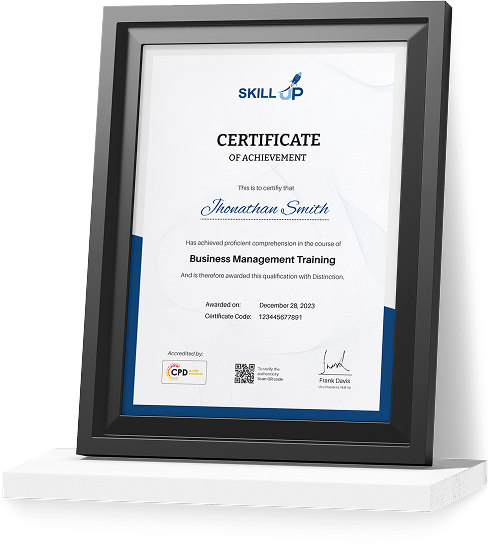
Certificate of Achievement

Earn Your Accredited Certificate with Transcript

Save 20% with the coupon code SKILL20
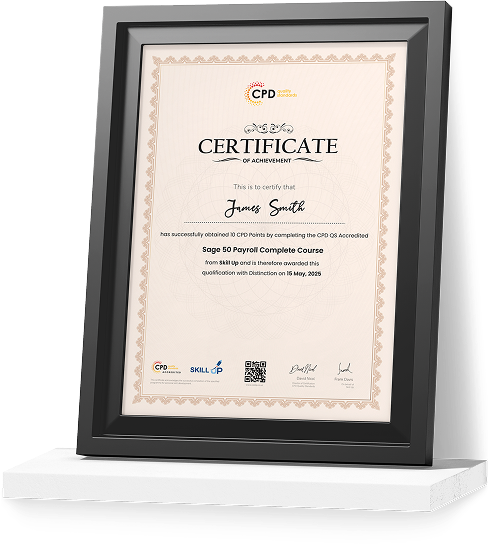
Show Your Certified Identity with a CPD-QS Certificate

Perfect for employers, clients, or academic verification.
Career Path

Frequently Asked Questions

A 2D Animation Course Online UK is a strong starting point for beginners. It covers Photoshop animation, frame-by-frame techniques, GIF creation, and motion effects, helping learners build a clear foundation in digital animation.

Yes. You can study through a flexible animation course online in the UK from anywhere. This course helps learners develop animation skills using Photoshop while creating visual work for a creative portfolio.


Common tools include Adobe Photoshop, After Effects, and Toon Boom. This photoshop animation course focuses on using Photoshop to create animations, GIFs, and visual effects for digital content.

Animators need creativity, timing, visual storytelling, attention to detail, and basic technical skills. This digital animation course in the UK helps learners develop these skills through frame-by-frame animation, motion control, and visual effects techniques.


Yes. Animation skills are useful across media, marketing, gaming, social media, and digital design. Completing an animation course with a certificate can support portfolio development and help learners move towards creative roles.

Start by learning core animation skills, creating sample projects, and building a portfolio. This online animation course in the UK helps learners create animated visuals, GIFs, and motion content for job applications or freelance work.

This course focuses on 2D animation techniques using Photoshop rather than 3D cartoon character animation. You will work with frame-by-frame animation, rotoscoping, motion effects, and GIF creation. The skills developed here can provide a foundation for learners who later want to explore 3D character animation and animated cartoon characters using specialist software.

This course does not focus on a specific smart character animation toolkit. Instead, it teaches Photoshop-based animation techniques, including frame-by-frame workflows, motion effects, rotoscoping, and visual enhancements. These skills can help learners become familiar with different character animation tools and prepare them to explore more specialised animation software in the future.

Animation Creator Level 1 Reviews

Excellent

4.7 / 5
Based on 9 reviews

98%

Would Recommend

105

Certified Learners

100%

Authentic Reviews
Hannah Pritchard

A brilliant introduction to animation. The Photoshop techniques were easy to follow and highly practical.

Lewis Carter

Really enjoyed learning how to create GIFs and simple animations. Great course for beginners.

Megan Foster

Perfect for content creators. I've already started using the animation techniques on social media projects.

Curriculum

  • play Introduction to Animate in Photoshop!
    play 00:02:00
  • play Why Use Photoshop to Animate? How I Use Photoshop in Multimedia. A Case Study
    play 00:03:00
top