
.png) 4 Reviews
4 Reviews 5 Students

 Overview
 Overview
 Course Description
Learning Outcome
 Learning Outcome
 Course media
Who Is This Course For?
 Who Is This Course For?
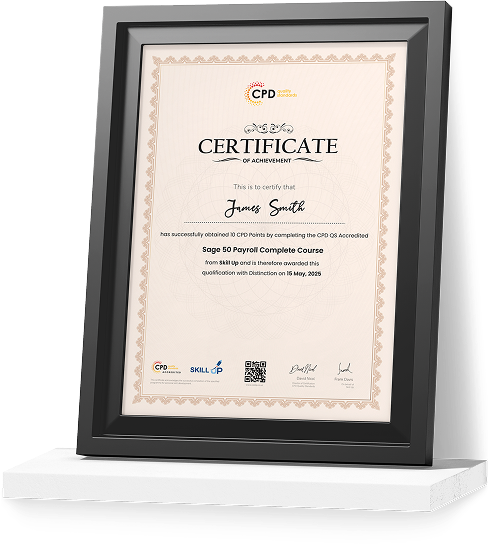
Certificate of Achievement
Earn Your Accredited Certificate with Transcript
Save 20% with the coupon code SKILL20

Show Your Certified Identity with a CPD-QS Certificate
Perfect for employers, clients, or academic verification.
Career Path
 Career Path
 Frequently Asked Questions
Functional Skills IT Level 2 Reviews

A well-organised and highly valuable course with clear, easy-to-understand guidance throughout. I’ve gained knowledge that’s directly relevant to my day-to-day responsibilities. It’s given me greater confidence in applying these skills professionally.

Engaging content delivered in a straightforward and structured format. The examples were realistic and helped reinforce key concepts effectively. I would certainly recommend it to colleagues looking to upskill

Comprehensive, insightful and professionally presented from start to finish. The course materials were clear and well supported. A worthwhile investment for anyone serious about career development
Curriculum
-
The Case for Computer Literacy
00:03:00
-
Features Common to Every Computing Device
00:02:00
-
Common General-Purpose Computing Devices
00:02:00
-
Networks of Computing Devices
00:04:00
-
Remotely-Accessed Computer Systems
00:04:00
-
Specialized Computer Systems
00:02:00
-
Specialty I/O Devices
00:01:00

 00:03:00
 -
CPUs
00:03:00
-
Passive and Active Cooling
00:03:00
-
RAM and Active Memory
00:05:00
-
Motherboards
00:03:00
-
Power Supplies
00:03:00
-
AMA – Ask Me Anything about System Hardware
00:07:00
-
Ports and Connectors
00:03:00
-
General Use I/O Devices
00:02:00
-
AMA – Ask Me Anything about I/O, Ports and Peripherals
00:07:00
-
Basics of Binary
00:04:00
-
Storage Technologies
00:04:00
-
Mass Storage Variation
00:03:00
-
AMA – Ask Me Anything about Data Storage and Sharing
00:07:00
-
Operating System Functions
00:04:00
-
Operating System Interfaces
00:05:00
-
AMA – Ask Me Anything about Understanding OS’s
00:05:00
-
Preparing the Work Area
00:02:00
-
Setting up a Desktop PC
00:01:00
-
Completing PC Setup
00:04:00
-
AMA – Ask Me Anything about Setting up and Configuring a PC
00:09:00
-
Personalizing a Tablet
00:08:00
-
AMA – Ask Me Anything about Mobile Devices Part 1
00:07:00
-
AMA – Ask Me Anything about Mobile Devices Part 2
00:07:00
-
File Management Tools
00:02:00
-
File Manipulation
00:06:00
-
Backups
00:03:00
-
AMA – Ask Me Anything about Managing Files
00:08:00
-
Walking Survey of Applications
00:03:00
-
Managing Applications
00:03:00
-
Applications and Extensions
00:04:00
-
AMA – Ask Me Anything about Working with Applications
00:07:00
-
Wi-Fi Setup
00:06:00
-
Going High Speed
00:03:00
-
Setting Up and Sharing Printers
00:05:00
-
AMA – Ask Me Anything about Networks and Internet Connectivity Part 1
00:07:00
-
AMA – Ask Me Anything about Networks and Internet Connectivity Part 2
00:05:00
-
Physical Security
00:05:00
-
Dealing with Malware
00:03:00
-
Password Management
00:03:00
-
Clickworthy
00:03:00
-
Perils of Public Internet
00:02:00
-
AMA – Ask Me Anything about IT Threat Mitigation Part 1
00:07:00
-
AMA – Ask Me Anything about IT Threat Mitigation Part 2
00:08:00
-
Power Management
00:02:00
-
Cleaning and Maintaining Computers
00:02:00
-
Trash it or Stash it?
00:02:00
-
AMA – Ask Me Anything about Computer Maintenance and Management
00:11:00
-
Troubleshooting 101
00:03:00
-
AMA – Ask Me Anything about Troubleshooting Computers Part 1
00:10:00
-
AMA – Ask Me Anything about Troubleshooting Computers Part 2
00:11:00
-
Introduction to Databases
00:06:00
-
Database Details
00:06:00
-
AMA – Ask Me Anything about Databases
00:06:00
-
Introduction to Programming
00:04:00
-
Programming with a PBJ Sandwich
00:08:00
-
AMA – Ask Me Anything about Programming
00:04:00
-
Order Your Certificate
Offer Ends in

 TAKE ALL COURSES FOR £99


-
Duration:4 hours, 52 minutes
-
Access:1 Year
-
Units:64

