
.png) 5 Reviews
5 Reviews 5 Students

 Overview
 Overview
 Course Description
Learning Outcome
 Learning Outcome
 Course media
Who Is This Course For?
 Who Is This Course For?
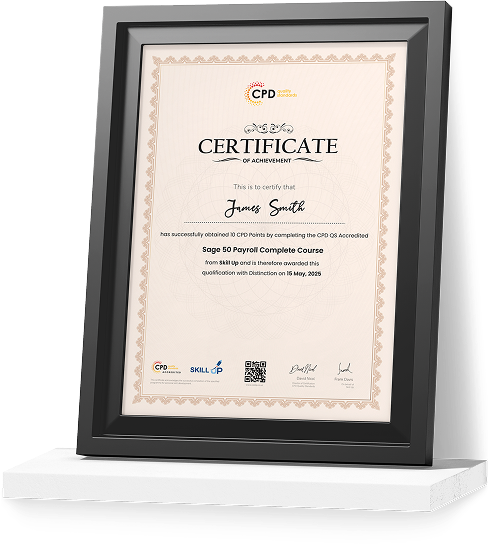
Certificate of Achievement
Earn Your Accredited Certificate with Transcript
Save 20% with the coupon code SKILL20

Show Your Certified Identity with a CPD-QS Certificate
Perfect for employers, clients, or academic verification.
Career Path
 Career Path
 Frequestly Asked Questions
Linux for Absolute Beginner Reviews

A well-organised and highly valuable course with clear, easy-to-understand guidance throughout. I’ve gained knowledge that’s directly relevant to my day-to-day responsibilities. It’s given me greater confidence in applying these skills professionally.

Engaging content delivered in a straightforward and structured format. The examples were realistic and helped reinforce key concepts effectively. I would certainly recommend it to colleagues looking to upskill

Comprehensive, insightful and professionally presented from start to finish. The course materials were clear and well supported. A worthwhile investment for anyone serious about career development
Curriculum
-
Introduction to Linux for Absolute Beginners
00:02:00
-
Course Overview
00:05:00
-
Handouts

 00:02:00


-
Download and Install VirtualBox
00:06:00
-
Creating First Virtual Machine
00:06:00
-
Linux Installation
00:25:00
-
Linux CentOS8 Installation
00:25:00
-
Command Syntax for Linux
00:07:00
-
Files and Directory Permissions Using Letters
00:13:00
-
Files and Directory Permissions Using Numeric Values
00:09:00
-
File Ownership Commands
00:12:00
-
Getting Help
00:05:00
-
TAB and Up Arrow
00:06:00
-
Introduction to Pipes
00:05:00
-
Adding Text to Files
00:13:00
-
File Display Commands
00:08:00
-
File Maintenance Commands
00:12:00
-
Filters and Text Processors Commands
00:02:00
-
wc- Text Processors Commands
00:08:00
-
grep and egrep – Text Processors Commands
00:13:00
-
awk – Text Processors Commands
00:14:00
-
Cut command
00:10:00
-
Compare Files
00:04:00
-
Combining and Splitting Files
00:07:00
-
Linux vs. Windows Commands
00:06:00
-
Linux File Editor – Vi
00:15:00
-
User Account Management
00:15:00
-
Switch Users and Sudo
00:09:00
-
System Utility Commands
00:09:00
-
Processes and Jobs
00:20:00
-
Process Management
00:14:00
-
System Monitoring Commands
00:09:00
-
System Log Monitoring
00:11:00
-
System Maintenance Commands
00:05:00
-
Changing hostname
00:06:00
-
Finding System Information
00:05:00
-
Pull System Architecture Information
00:04:00
-
Terminal Commands
00:06:00
-
Terminal Ctrl Keys
00:04:00
-
Recover Root Password
00:05:00
-
Order Your Certificate

Offer Ends in

Or
 TAKE ALL COURSES FOR £99
14-Day Money-Back Guarantee
-
Duration:6 hours
-
Access:1 Year
-
Units:41

