 GIFT
GIFT
Personal Development

.png) 7 Reviews
7 Reviews
 209 Students


 Microsoft Excel Complete Course: Beginner to Advanced
GIFT
Microsoft Excel Complete Course: Beginner to Advanced
GIFT
 GIFT
Course Description
GIFT
Course Description Learning Outcomes Course media
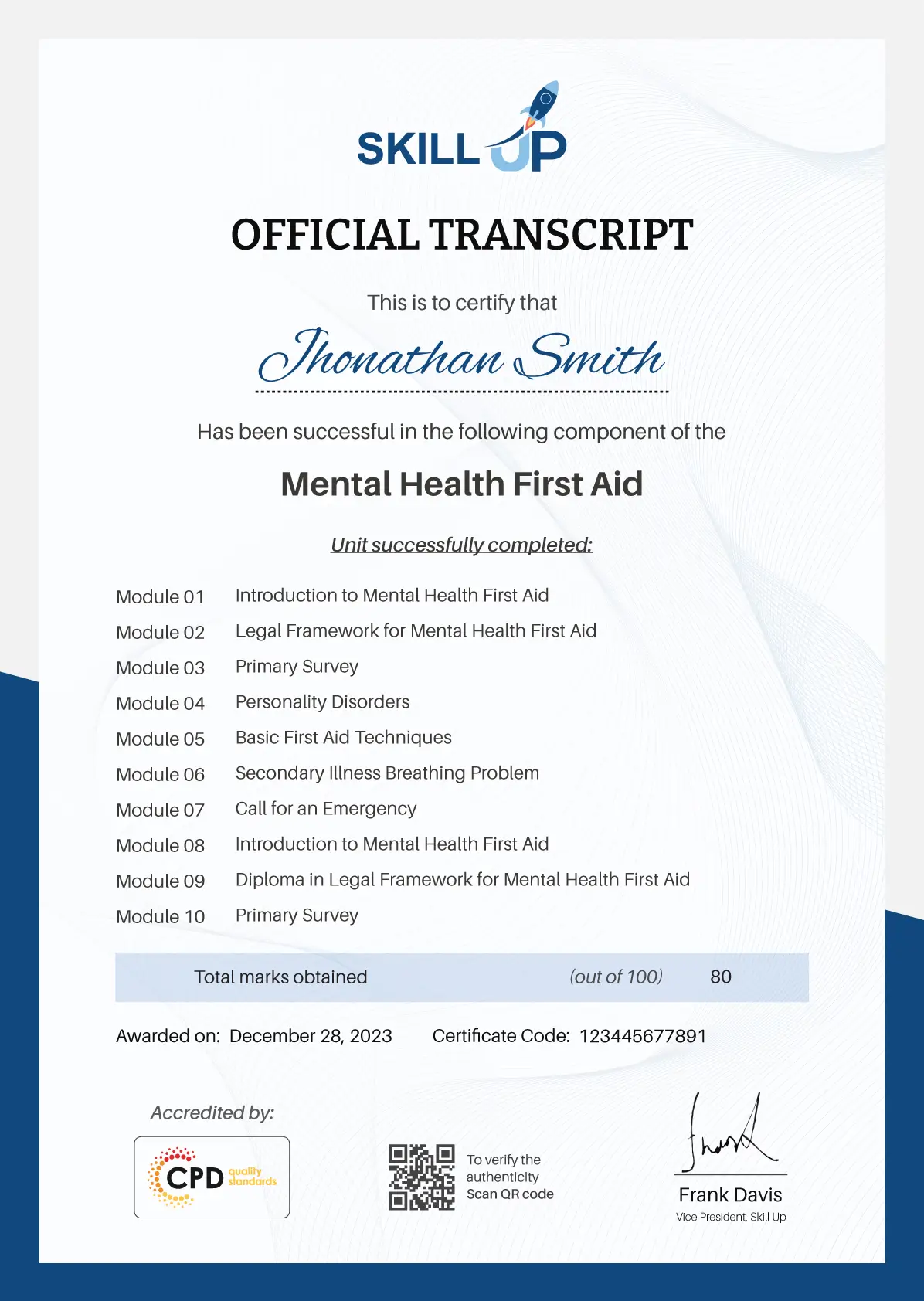
 Who Is This Course For? Why Choose This Microsoft Excel Course?Certificate of Achievement
Save 20% with the coupon code SKILL20

Perfect for employers, clients, or academic verification.

 Career Path Frequently Asked Questions
 Excel from A-Z Course Intro
 00:03:00
Excel Job Opportunities
00:03:00
Excel Job Types
00:04:00
Microsoft Excel Marketplace
00:04:00
What is Microsoft Excel?
00:04:00
Who is This Course For?
00:04:00
Finding & Opening Excel
00:01:00
Excel’s Start Screen
00:03:00
Explaining the Excel Interface
00:03:00
Excel Interface Continued
00:01:00
Excel Workbook vs. Excel Worksheet
00:02:00
Saving an Excel Document
00:04:00
Customizing the Quick Access Toolbar
00:02:00
Customizing the Excel Ribbon
00:03:00
Excel Shortcut Keys
00:02:00
Creating Excel Labels
00:03:00
Entering Numeric Values in Excel
00:03:00
Formatting Date Values in Excel
00:05:00
Building Basic Formulas in Excel
00:05:00
Order of Operations
00:06:00
Relative vs. Absolute Cell References
00:07:00
Excel Functions Explained
00:03:00
The SUM() Function
00:08:00
The MIN() & MAX() Function
00:04:00
The AVERAGE() Function
00:02:00
COUNT() Functions
00:05:00
Moving & Copying Data
00:07:00
Insert & Delete Rows and Columns
00:05:00
Adjusting the Width and Height of Cells
00:05:00
Hiding and Unhiding Excel Rows and Columns
00:04:00
Renaming, Moving & Deleting Excel Worksheets
00:05:00
Adding Protection to Specific Cells
00:04:00
Protecting the Structure of a Workbook
00:02:00
Adding a Workbook Password to Open File
00:02:00
Formatting Fonts and Cell Background Color
00:05:00
Adding Cell Borders
00:05:00
Formatting Data Appropriately
00:05:00
The Magic behind Excel’s Format Painter
00:04:00
Creating Styles for Formatting Efficiency
00:06:00
Merging Cells for a Cleaner Look
00:03:00
The Power of Conditional Formatting
00:06:00
Grab User’s Attention using Illustrations
00:09:00
Customizing Icons
00:05:00
Create Compelling Graphics with SmartArt
00:06:00
The Commonly Used Column Chart
00:03:00
Changing the Chart Design
00:02:00
Formatting Elements of a Chart
00:06:00
Modifying the Data, Type & Location of a Chart
00:06:00
Little Slice of Pie Charts
00:05:00
Print Preview Options
00:04:00
Excel’s Page Layout View
00:07:00
Printing a Specific Range of Cells
00:03:00
Converting Spreadsheets to PDF Files
00:02:00
Why Create an Excel Template
00:01:00
How to Create an Excel Template
00:05:00
How to Prepare Data for Analysis
00:04:00
How to Sort Data in Excel
00:03:00
Multi-Level Sorting
00:03:00
Custom Sorting Datasets in Excel
00:02:00
Applying Filters to Datasets
00:05:00
Creating Subtotals within a Dataset
00:06:00
Converting Datasets into Tables
00:06:00
Finding & Removing Duplicate Values
00:07:00
The SUMIF() Function
00:09:00
The DSUM() Function
00:08:00
The DSUM() Function Cont.
00:07:00
The SUBTOTAL() Function
00:06:00
What is Excel Data Validation?
00:02:00
Creating a Drop Down List with Data Validation
00:07:00
Different Types of Excel Data Validation
00:06:00
Adding Custom Alerts to Data Validation
00:07:00
Creating a Dynamic Drop Down List
00:03:00
Complex Validation: Dependent Drop Down List!
00:09:00
Creating an Excel Pivot Table
00:06:00
Modifying Excel PivotTables
00:06:00
Grouping & Filtering PivotTable Data
00:07:00
Drilling Down into PivotTable Data
00:02:00
Creating Pivot Charts & Utilizing Slicers
00:08:00
What is PowerPivot?
00:04:00
Activating the Excel PowerPivot Add-In
00:02:00
Creating Relationships between Data Tables.mp4
00:06:00
Using Data Models to Create PivotTables
00:05:00
How to Create PowerPivot KPI’s
00:08:00
Excel’s IF() Function
00:05:00
IF() Function with AND() Criteria
00:05:00
IF() Function with OR() Criteria
00:05:00
Nesting Multiple IF() Functions
00:07:00
The COUNTIF() Function
00:04:00
Key Benefits of Named Ranges
00:04:00
VLOOKUP() Function
00:09:00
The Beauty of Excel’s IFERROR() Function
00:04:00
HLOOKUP() Function
00:06:00
INDEX() Function
00:05:00
MATCH() Function
00:05:00
INDEX() and MATCH() Combined
00:05:00
Two-Way Lookup with INDEX() and MATCH()
00:04:00
LEFT(), RIGHT() and MID() Function
00:07:00
Extracting Specific Text using LEN() & SEARCH()
00:13:00
Combining Text with CONCATENATE()
00:06:00
Quick Tips & Other Text Based Functions
00:06:00
Tracing Precedents & Dependents in Formulas
00:04:00
Showing Formulas
00:02:00
Grouping Data
00:03:00
3D Referencing in Formulas
00:05:00
Utilizing the Watch Window in Excel
00:03:00
How to Freeze Panes in Excel
00:03:00
Excel’s Scenario Manager Tool
00:06:00
Goal Seek in Excel
00:06:00
Compare Results with Excel Data Tables
00:04:00
Solver Tool
00:11:00
The Power Behind Excel VBA
00:03:00
A Look Inside the Visual Basic Editor (VBE)
00:04:00
Recording a Macro
00:09:00
Saving & Opening a Macro-Enabled Workbook
00:02:00
Modules and Procedures
00:07:00
Objects, Methods and Properties
00:06:00
Excel VBA Variables
00:05:00
Referencing a Range
00:14:00
InputBox & MsgBox
00:06:00
Using Variables in VBA Code
00:05:00
If Then Else Statement
00:10:00
Worksheet Functions inside VBA
00:08:00
Creating User Defined Functions
00:09:00
User Defined Functions within VBA Scripts
00:06:00
Find Last Row of Data
00:06:00
Find Last Column of Data
00:03:00
With Statement
00:05:00
Debugging & Error Handling
00:07:00
Debugging & Error Handling Cont.
00:07:00
For Next Loop
00:09:00
Do Until Loop
00:06:00
For Each Loop
00:04:00
Assigning Macros to Shapes
00:04:00
Form Controls vs ActiveX Controls
00:08:00
Worksheet Events
00:04:00
Workbook Events
00:03:00
Fun with VBA Events!
00:07:00
Creating an Excel UserForm
00:03:00
Adding Controls to UserForms
00:10:00
How to Show an UserForm
00:03:00
Passing TextBox Values to Desired Cells
00:07:00
Passing Option Buttons to Desired Cells
00:07:00
UserForm ComboBoxes
00:08:00
Clearing Values from UserForm Controls
00:03:00
How to Close an UserForm
00:02:00
UserForms and Protected Sheets
00:05:00
Creating an Excel Resume
00:05:00
Getting Started with Freelancing
00:05:00
How to Become an Excel Freelancer
00:05:00
Top Freelance Websites
00:05:00
How to Get Your First Client
00:08:00
Personal Branding
00:05:00
Networking Do’s and Don’ts
00:04:00
Importance of Having a Website
00:04:00
Resources – Microsoft Excel Complete Training
Order Your Certificate
00:03:00
Excel Job Opportunities
00:03:00
Excel Job Types
00:04:00
Microsoft Excel Marketplace
00:04:00
What is Microsoft Excel?
00:04:00
Who is This Course For?
00:04:00
Finding & Opening Excel
00:01:00
Excel’s Start Screen
00:03:00
Explaining the Excel Interface
00:03:00
Excel Interface Continued
00:01:00
Excel Workbook vs. Excel Worksheet
00:02:00
Saving an Excel Document
00:04:00
Customizing the Quick Access Toolbar
00:02:00
Customizing the Excel Ribbon
00:03:00
Excel Shortcut Keys
00:02:00
Creating Excel Labels
00:03:00
Entering Numeric Values in Excel
00:03:00
Formatting Date Values in Excel
00:05:00
Building Basic Formulas in Excel
00:05:00
Order of Operations
00:06:00
Relative vs. Absolute Cell References
00:07:00
Excel Functions Explained
00:03:00
The SUM() Function
00:08:00
The MIN() & MAX() Function
00:04:00
The AVERAGE() Function
00:02:00
COUNT() Functions
00:05:00
Moving & Copying Data
00:07:00
Insert & Delete Rows and Columns
00:05:00
Adjusting the Width and Height of Cells
00:05:00
Hiding and Unhiding Excel Rows and Columns
00:04:00
Renaming, Moving & Deleting Excel Worksheets
00:05:00
Adding Protection to Specific Cells
00:04:00
Protecting the Structure of a Workbook
00:02:00
Adding a Workbook Password to Open File
00:02:00
Formatting Fonts and Cell Background Color
00:05:00
Adding Cell Borders
00:05:00
Formatting Data Appropriately
00:05:00
The Magic behind Excel’s Format Painter
00:04:00
Creating Styles for Formatting Efficiency
00:06:00
Merging Cells for a Cleaner Look
00:03:00
The Power of Conditional Formatting
00:06:00
Grab User’s Attention using Illustrations
00:09:00
Customizing Icons
00:05:00
Create Compelling Graphics with SmartArt
00:06:00
The Commonly Used Column Chart
00:03:00
Changing the Chart Design
00:02:00
Formatting Elements of a Chart
00:06:00
Modifying the Data, Type & Location of a Chart
00:06:00
Little Slice of Pie Charts
00:05:00
Print Preview Options
00:04:00
Excel’s Page Layout View
00:07:00
Printing a Specific Range of Cells
00:03:00
Converting Spreadsheets to PDF Files
00:02:00
Why Create an Excel Template
00:01:00
How to Create an Excel Template
00:05:00
How to Prepare Data for Analysis
00:04:00
How to Sort Data in Excel
00:03:00
Multi-Level Sorting
00:03:00
Custom Sorting Datasets in Excel
00:02:00
Applying Filters to Datasets
00:05:00
Creating Subtotals within a Dataset
00:06:00
Converting Datasets into Tables
00:06:00
Finding & Removing Duplicate Values
00:07:00
The SUMIF() Function
00:09:00
The DSUM() Function
00:08:00
The DSUM() Function Cont.
00:07:00
The SUBTOTAL() Function
00:06:00
What is Excel Data Validation?
00:02:00
Creating a Drop Down List with Data Validation
00:07:00
Different Types of Excel Data Validation
00:06:00
Adding Custom Alerts to Data Validation
00:07:00
Creating a Dynamic Drop Down List
00:03:00
Complex Validation: Dependent Drop Down List!
00:09:00
Creating an Excel Pivot Table
00:06:00
Modifying Excel PivotTables
00:06:00
Grouping & Filtering PivotTable Data
00:07:00
Drilling Down into PivotTable Data
00:02:00
Creating Pivot Charts & Utilizing Slicers
00:08:00
What is PowerPivot?
00:04:00
Activating the Excel PowerPivot Add-In
00:02:00
Creating Relationships between Data Tables.mp4
00:06:00
Using Data Models to Create PivotTables
00:05:00
How to Create PowerPivot KPI’s
00:08:00
Excel’s IF() Function
00:05:00
IF() Function with AND() Criteria
00:05:00
IF() Function with OR() Criteria
00:05:00
Nesting Multiple IF() Functions
00:07:00
The COUNTIF() Function
00:04:00
Key Benefits of Named Ranges
00:04:00
VLOOKUP() Function
00:09:00
The Beauty of Excel’s IFERROR() Function
00:04:00
HLOOKUP() Function
00:06:00
INDEX() Function
00:05:00
MATCH() Function
00:05:00
INDEX() and MATCH() Combined
00:05:00
Two-Way Lookup with INDEX() and MATCH()
00:04:00
LEFT(), RIGHT() and MID() Function
00:07:00
Extracting Specific Text using LEN() & SEARCH()
00:13:00
Combining Text with CONCATENATE()
00:06:00
Quick Tips & Other Text Based Functions
00:06:00
Tracing Precedents & Dependents in Formulas
00:04:00
Showing Formulas
00:02:00
Grouping Data
00:03:00
3D Referencing in Formulas
00:05:00
Utilizing the Watch Window in Excel
00:03:00
How to Freeze Panes in Excel
00:03:00
Excel’s Scenario Manager Tool
00:06:00
Goal Seek in Excel
00:06:00
Compare Results with Excel Data Tables
00:04:00
Solver Tool
00:11:00
The Power Behind Excel VBA
00:03:00
A Look Inside the Visual Basic Editor (VBE)
00:04:00
Recording a Macro
00:09:00
Saving & Opening a Macro-Enabled Workbook
00:02:00
Modules and Procedures
00:07:00
Objects, Methods and Properties
00:06:00
Excel VBA Variables
00:05:00
Referencing a Range
00:14:00
InputBox & MsgBox
00:06:00
Using Variables in VBA Code
00:05:00
If Then Else Statement
00:10:00
Worksheet Functions inside VBA
00:08:00
Creating User Defined Functions
00:09:00
User Defined Functions within VBA Scripts
00:06:00
Find Last Row of Data
00:06:00
Find Last Column of Data
00:03:00
With Statement
00:05:00
Debugging & Error Handling
00:07:00
Debugging & Error Handling Cont.
00:07:00
For Next Loop
00:09:00
Do Until Loop
00:06:00
For Each Loop
00:04:00
Assigning Macros to Shapes
00:04:00
Form Controls vs ActiveX Controls
00:08:00
Worksheet Events
00:04:00
Workbook Events
00:03:00
Fun with VBA Events!
00:07:00
Creating an Excel UserForm
00:03:00
Adding Controls to UserForms
00:10:00
How to Show an UserForm
00:03:00
Passing TextBox Values to Desired Cells
00:07:00
Passing Option Buttons to Desired Cells
00:07:00
UserForm ComboBoxes
00:08:00
Clearing Values from UserForm Controls
00:03:00
How to Close an UserForm
00:02:00
UserForms and Protected Sheets
00:05:00
Creating an Excel Resume
00:05:00
Getting Started with Freelancing
00:05:00
How to Become an Excel Freelancer
00:05:00
Top Freelance Websites
00:05:00
How to Get Your First Client
00:08:00
Personal Branding
00:05:00
Networking Do’s and Don’ts
00:04:00
Importance of Having a Website
00:04:00
Resources – Microsoft Excel Complete Training
Order Your Certificate
Offer Ends in




 TAKE ALL COURSES FOR £99