
Overview
Microsoft Office productivity tools remain central to professional communication, and this advanced Outlook programme focuses on refined control of messaging, scheduling, contacts, and data organisation. The course explores advanced configuration, structured task tracking, shared workspaces, and Outlook data file control. Moreover, it reflects how organisations manage time, collaboration, and communication efficiently. Therefore, learners progress through calendar coordination, activity management, and information sharing within a professional Microsoft Office environment.
Course Description
Modern workplaces depend on organised communication; therefore, this course opens by refining message configuration and advanced message control. Learners explore prioritisation, categorisation, and automated handling methods that improve clarity. Meanwhile, the microsoft office 2013 outlook advanced course online structure ensures relevance for digital workflows. Consequently, daily communication becomes more organised and efficient.
Calendar and contact systems sit at the heart of operational planning. Therefore, this course develops structured calendar coordination and detailed contact organisation. In addition, task and journal entries create accountability across work schedules. The microsoft office 2013 outlook advanced course online format supports professional planning routines. As a result, scheduling conflicts reduce while productivity improves.
The final stage focuses on collaboration and data security. Moreover, shared workspaces allow controlled information exchange, while Outlook data files ensure reliable record management. The microsoft office 2013 outlook advanced course online approach reinforces structured collaboration. Consequently, learners operate confidently within shared digital environments aligned with organisational expectations.
Learning Outcome
- Advanced email configuration control
- Structured calendar coordination techniques
- Organised contact and activity tracking
- Secure workspace collaboration methods
- Reliable Outlook data file management
Course media
Who Is This Course For?
- Office administrators handling communications
- Project coordinators managing schedules
- Executive assistants organising workflows
- Business support officers using Microsoft Office
- Professionals seeking microsoft office 2013 outlook advanced course online
Certificate of Achievement
Earn Your Accredited Certificate with Transcript
Save 20% with the coupon code SKILL20

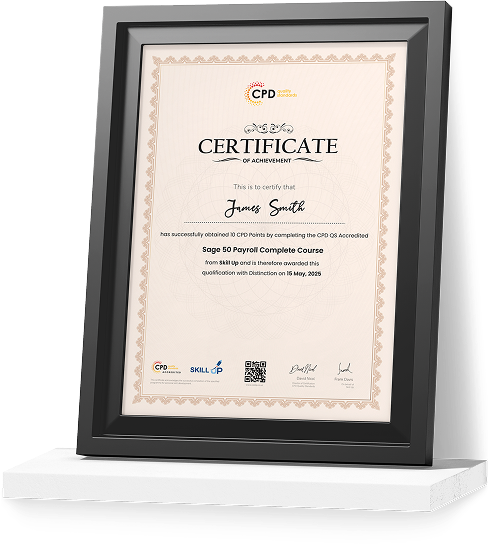
Show Your Certified Identity with a CPD-QS Certificate
Perfect for employers, clients, or academic verification.
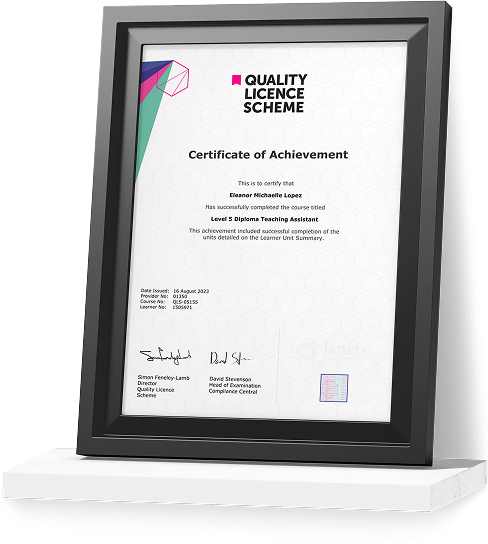
Get a QLS Certificate to Showcase Your Skills
Detailed record of your completed modules and qualifications.
Career Path
- Senior Office Administrator: Oversees communication systems and scheduling Average salary range: £42,000 – £55,000 per year
- Executive Support Manager: Manages executive calendars and correspondence Average salary range: £45,000 – £65,000 per year
- Business Operations Coordinator: Controls task workflows and data organisation Average salary range: £43,000 – £60,000 per year
- Corporate Communications Officer: Maintains structured messaging systems Average salary range: £40,000 – £58,000 per year
- Project Support Manager: Coordinates planning tools and shared workspaces Average salary range: £48,000 – £70,000 per year
Frequestly Asked Questions
It covers advanced messaging, calendars, contacts, tasks, and data files.
Yes, it aligns with professional office systems used across the UK.
Yes, it explains shared workspaces and controlled access.
Yes, advanced calendar coordination is included.
Yes, the microsoft office 2013 outlook advanced course online supports progression.
Yes, Outlook data file management is included.
Microsoft Office 2013 Outlook Advanced Reviews
Excellent
98%
Would Recommend2
Certified Learners100%
Authentic Reviews
A well-organised and highly valuable course with clear, easy-to-understand guidance throughout. I’ve gained knowledge that’s directly relevant to my day-to-day responsibilities. It’s given me greater confidence in applying these skills professionally.
Engaging content delivered in a straightforward and structured format. The examples were realistic and helped reinforce key concepts effectively. I would certainly recommend it to colleagues looking to upskill
Comprehensive, insightful and professionally presented from start to finish. The course materials were clear and well supported. A worthwhile investment for anyone serious about career development
Curriculum
-
Insert Advanced Characters and Objects
00:24:00
-
Modify Message Settings, Properties, and Options
00:11:00
-
Using an Automatic Reply
00:07:00
-
Sort Messages
00:03:00
-
Filter Messages
00:03:00
-
Organize Messages
00:09:00
-
Search Messages
00:09:00
-
Manage Junk Mail
00:04:00
-
Manage Your Mailbox
00:04:00
-
Manage Advanced Calendar Options
00:10:00
-
Create Calendar Groups
00:04:00
-
Manage Meeting Responses
00:05:00
-
Edit an Electronic Business Card
00:07:00
-
Manage Advanced Contacts Options
00:04:00
-
Forward Contacts
00:02:00
-
Export Contacts
00:03:00
-
Assign and Manage Tasks
00:14:00
-
Record and Modify Journal Entries
00:06:00
-
Delegate Access to Mail Folders
00:05:00
-
Share Your Calendar
00:04:00
-
Share Your Contacts
00:02:00
-
Back Up Outlook Items
00:02:00
-
Change Data File Settings
00:04:00
-
Mock Exam- Microsoft Office 2013 Outlook Advanced – Complete Video Course
00:20:00
-
Final Exam- Microsoft Office 2013 Outlook Advanced – Complete Video Course
00:20:00
Offer Ends in
-
Duration:3 hours, 6 minutes
-
Access:1 Year
-
Units:25

7 Reviews
All
Courses for £49




