
Overview
Python GUI- is the art of creating visually interactive desktop applications using Python. This course, Python GUI Development with Tkinter: Build Pro Desktop Apps!, introduces learners to building dynamic and engaging user interfaces efficiently. Through the Python Tkinter GUI Design Course, you will learn how to construct functional layouts, style widgets, and develop responsive applications. The course emphasizes Python Tkinter Desktop Application Development, guiding learners to assemble complete desktop solutions. By combining core Tkinter concepts with real-life projects, this Python GUI- course equips enthusiasts to transform code into interactive, user-friendly applications.
Course Description
Imagine designing a desktop application that not only functions flawlessly but also looks sleek and professional. The Python GUI- course opens the door to creating such applications, using the cross-platform power of Tkinter. Through the Python Tkinter Desktop Application Development approach, learners will explore each building block of Tkinter, placing widgets precisely where they belong while giving each element a distinct visual identity.
As you progress, the Python Tkinter GUI Design Course delves deeper into integrating individual components into a cohesive interface. Learners will tackle layout management, styling, and interactive behavior, ensuring that every project reflects both efficiency and aesthetics. Step-by-step real-life projects reinforce the knowledge acquired, transforming theoretical lessons into tangible applications.
By the end, students will be adept at Building Desktop Applications with Python and Tkinter, capable of producing functional, user-friendly, and visually appealing software. The course encourages creativity while maintaining coding precision, preparing learners for practical application development challenges and setting a foundation for a thriving career in Python GUI- development.
Learning Outcome
- Develop fully functional desktop applications using Python Tkinter GUI Design Course techniques.
- Structure and position widgets effectively to create user-friendly interfaces.
- Integrate multiple UI elements into a complete, visually appealing application.
- Apply advanced Tkinter styling and layout management for professional applications.
- Execute real-life Python Tkinter Desktop Application Development projects from start to finish.
Who Is This Course For?
- Python developers seeking to expand into desktop application development.
- Aspiring software engineers interested in GUI programming with Python.
- Students looking to build interactive applications using Python Tkinter GUI Design Course techniques.
- Hobbyists aiming to turn coding projects into professional desktop apps.
- IT professionals exploring Python Tkinter Desktop Application Development for work-related solutions.
Certificate of Achievement
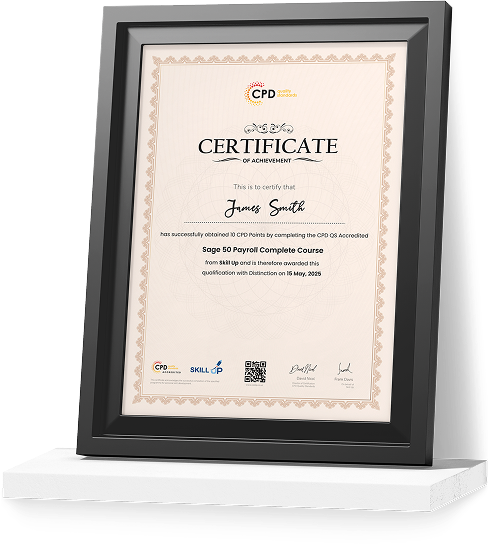
Earn Your Accredited Certificate with Transcript
Save 20% with the coupon code SKILL20

Show Your Certified Identity with a CPD-QS Certificate
Perfect for employers, clients, or academic verification.
Career Path
- Python Developer: £35,000–£60,000
- Software Engineer: £30,000–£55,000
- Desktop Application Developer: £32,000–£58,000
- UI/UX Developer (Python Focus): £28,000–£50,000
- Application Support Analyst: £25,000–£45,000
Python GUI Development with Tkinter: Build Pro Desktop Apps! Reviews
Excellent
98%
Would Recommend167
Certified Learners100%
Authentic Reviews
A well-organised and highly valuable course with clear, easy-to-understand guidance throughout. I’ve gained knowledge that’s directly relevant to my day-to-day responsibilities. It’s given me greater confidence in applying these skills professionally.
Engaging content delivered in a straightforward and structured format. The examples were realistic and helped reinforce key concepts effectively. I would certainly recommend it to colleagues looking to upskill
Comprehensive, insightful and professionally presented from start to finish. The course materials were clear and well supported. A worthwhile investment for anyone serious about career development
Curriculum
-
What is Tkinter?
00:02:00
-
Getting Started with Tkinter
00:03:00
-
Basic structure of a Tkinter program
00:04:00
-
Course Materials
-
Introduction to widgets
00:02:00
-
The Label Widget
00:10:00
-
The Entry Widget
00:05:00
-
The Button Widget
00:04:00
-
The Checkbutton Widget
00:04:00
-
The Radiobuttton
00:05:00
-
Drawing with Canvas
00:10:00
-
Widgets in Window with the frame widget
00:04:00
-
Making a List with the Listbox
00:05:00
-
Let’s make a Menu
00:11:00
-
Menu with Menubutton
00:03:00
-
Multiple lines with Message
00:04:00
-
The Scale like a thermometer
00:05:00
-
Scrolling Through a List
00:03:00
-
The Text widget
00:04:00
-
The Toplevel Application
00:06:00
-
The Spinbox Widget
00:02:00
-
Dividing with panes
00:03:00
-
Grouping labels with Labelframe
00:04:00
-
Messagebox and desktop prompts
00:08:00
-
Introduction to Attributes
00:03:00
-
Dimensions
00:05:00
-
Colours
00:03:00
-
Attention and Fonts
00:05:00
-
Widgets Anchors
00:02:00
-
Relief Styles
00:05:00
-
Bitmaps
00:04:00
-
Cursors
00:03:00
-
The .pack() geometry manager
00:04:00
-
The .grid() geometry manager
00:03:00
-
The .place() geometry manager
00:02:00
-
Project Calculator
00:04:00
-
Conclusion
00:06:00
-
Order Your Certificate
Offer Ends in
-
Duration:2 hours, 40 minutes
-
Access:1 Year
-
Units:38

9 Reviews
All
Courses for £49




