
Overview
WordPress is a powerful content management system that allows beginners to create structured, visually appealing websites without complex development knowledge. This WordPress course introduces the core environment, interface layout, and starter essentials needed to begin designing pages confidently. Learners are guided through account preparation, dashboard navigation, and initial configuration, ensuring readiness before moving forward. With a clear focus on WordPress design for beginners, this section builds familiarity with themes, layouts, and visual structure. By following a guided tour, learners gradually move from setup to design awareness, forming a strong foundation for wordpress website design for beginners using simple, accessible methods.
Course Description
Every website begins with a first step, and this WordPress course invites learners into a creative digital space where ideas transform into online presence. Through WordPress design for beginners, learners are introduced to a clear structure that supports visual storytelling, page creation, and design flow. Each stage is presented smoothly, encouraging confidence while working within WordPress. As a result, wordpress website design for beginners becomes approachable, organised, and inspiring.
As the journey continues, learners move through essential setup guidance, followed by a detailed platform tour. WordPress design for beginners focuses on clarity, layout choices, and theme awareness, highlighting how structure influences user experience. Additionally, attention is given to selecting the best wordpress theme for beginners, ensuring layouts remain adaptable and visually consistent. Therefore, wordpress website design for beginners becomes less intimidating and more achievable.
Finally, this WordPress course brings everything together through a guided conclusion that reinforces design readiness. WordPress design for beginners emphasises confidence, navigation fluency, and visual decision-making. By exploring the best wordpress theme for beginners, learners identify styles that align with personal goals. Consequently, wordpress website design for beginners transitions from curiosity into creative action.
Learning Outcome
- Navigate the WordPress dashboard with confidence
- Configure a WordPress account correctly
- Identify layout elements used in WordPress design for beginners
- Select the best wordpress theme for beginners
- Structure pages for wordpress website design for beginners
Who Is This Course For?
- Individuals starting WordPress design for beginners
- Creators interested in wordpress website design for beginners
- Learners seeking the best wordpress theme for beginners
- Beginners building personal websites
- Users new to WordPress platforms
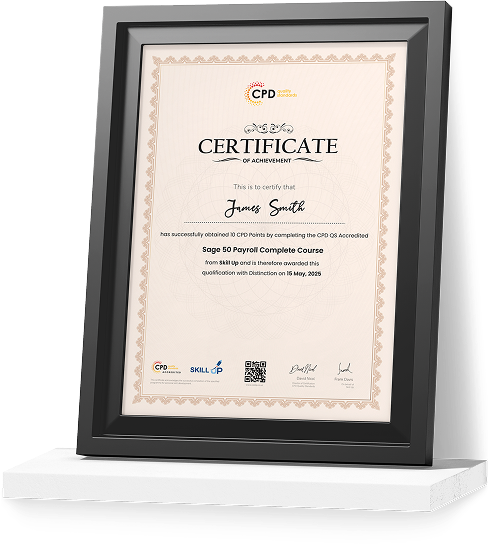
Certificate of Achievement
Earn Your Accredited Certificate with Transcript
Save 20% with the coupon code SKILL20

Show Your Certified Identity with a CPD-QS Certificate
Perfect for employers, clients, or academic verification.
Career Path
- WordPress Designer – £28,000 to £45,000
- Website Designer – £27,000 to £42,000
- Junior Web Designer – £24,000 to £35,000
- Digital Content Designer – £26,000 to £40,000
- Freelance WordPress Creator – £30,000 to £50,000
WordPress Design for Beginners Reviews

Excellent
98%
Would Recommend2
Certified Learners100%
Authentic Reviews
A well-organised and highly valuable course with clear, easy-to-understand guidance throughout. I’ve gained knowledge that’s directly relevant to my day-to-day responsibilities. It’s given me greater confidence in applying these skills professionally.
Engaging content delivered in a straightforward and structured format. The examples were realistic and helped reinforce key concepts effectively. I would certainly recommend it to colleagues looking to upskill
Comprehensive, insightful and professionally presented from start to finish. The course materials were clear and well supported. A worthwhile investment for anyone serious about career development
Curriculum
-
Introduction to WordPress in 1 Hour: Quick and Easy Essentials for Beginners
00:02:00
-
WordPress.com vs. WordPress.org? How to Get Set Up and What You Need
00:02:00
-
Have Your WordPress Login Information? Let’s Get Started!
00:02:00
-
Tour the WordPress Dashboard
00:02:00
-
How to Make (or Edit) a Post in WordPress
00:08:00
-
How to Make a Page in WordPress ( & The Difference Between a Page and a Post)
00:02:00
-
The Rundown on WordPress Plugins
00:07:00
-
All About WordPress Themes
00:05:00
-
Fun With WordPress Widgets
00:04:00
-
Setting Up or Editing Menus in WordPress
00:03:00
-
How to Use Your Tools in WordPress
00:01:00
-
How to Be the Boss of Your WordPress Settings
00:04:00
-
Adding or Editing Links in WordPress
00:03:00
-
Managing Users and Permissions in WordPress
00:04:00
-
Conclusion
00:03:00
-
New Case Study: How to Use Color Psychology to Boost Your Website
00:12:00
-
Order Your Certificate

Offer Ends in
-
Duration:1 hour, 4 minutes
-
Access:1 Year
-
Units:17

1 Reviews
All
Courses for £49



