Overview
Zoom Meeting Online is a versatile platform that enables seamless virtual communication for individuals and businesses alike. In this Zoom Meeting for Beginners Course, learners will explore the core features of Zoom, from creating accounts and scheduling meetings to hosting webinars with enhanced security. This course is designed to simplify online interactions, allowing participants to confidently navigate Zoom as hosts or attendees. Whether connecting with colleagues, clients, or friends, Zoom Meeting Online ensures smooth collaboration while maintaining user-friendly functionality. By following this structured curriculum, anyone can quickly become proficient in managing virtual meetings effectively.
Course Description
Step into the world of online communication with the Zoom Meeting for Beginners Course, where mastering Zoom Meeting Online transforms how you connect with others. The course begins by explaining what Zoom is and why it has become the go-to platform for virtual meetings. Learners will explore account creation, participant navigation, and the critical elements of hosting meetings confidently, all while understanding Zoom’s enhanced security measures.
With practical modules covering both participant and host experiences, this Zoom Meeting for Beginners Course ensures learners can schedule, conduct, and manage meetings efficiently. From live sessions to webinars, each lesson demonstrates the tools and techniques that make Zoom Meeting Online indispensable for professional and personal communication.
By the end, participants will experience a seamless transition from basic usage to advanced meeting management. The curriculum emphasises clear communication, control, and engagement, helping learners feel confident in hosting sessions and webinars. Using Zoom Meeting Online effectively can enhance collaboration, productivity, and connectivity in any virtual setting, making it an essential skill in today’s digital world.
Learning Outcome
- Navigate Zoom Meeting Online confidently as both participant and host.
- Schedule, manage, and run meetings and webinars efficiently.
- Apply security features to protect meeting privacy.
- Utilise tools for interactive and engaging sessions.
- Understand key differences between participant and host functionalities.
Who Is This Course For?
- Individuals new to Zoom seeking clear guidance.
- Professionals who need to run online meetings.
- Students attending virtual classes or webinars.
- Teams collaborating remotely across locations.
- Anyone wanting to improve online communication skills.
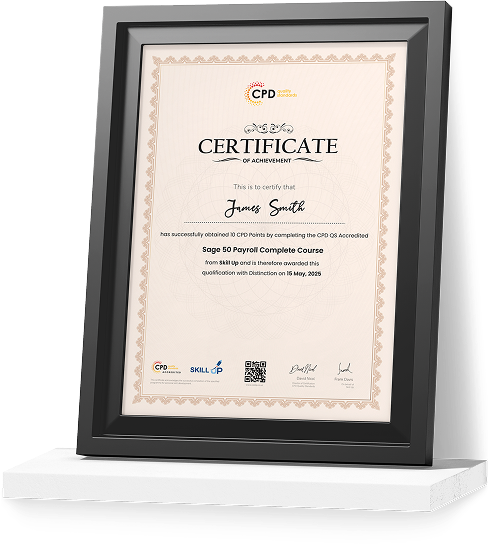
Certificate of Achievement
Earn Your Accredited Certificate with Transcript
Save 20% with the coupon code SKILL20

Show Your Certified Identity with a CPD-QS Certificate
Perfect for employers, clients, or academic verification.
Career Path
- Virtual Assistant – £20,000–£28,000
- Online Tutor – £22,000–£30,000
- Webinar Coordinator – £25,000–£33,000
- Customer Support Executive – £18,000–£25,000
- Remote Project Manager – £30,000–£45,000
Zoom Meeting for Beginners Course Reviews
Excellent
98%
Would Recommend18
Certified Learners100%
Authentic Reviews
A well-organised and highly valuable course with clear, easy-to-understand guidance throughout. I’ve gained knowledge that’s directly relevant to my day-to-day responsibilities. It’s given me greater confidence in applying these skills professionally.
Engaging content delivered in a straightforward and structured format. The examples were realistic and helped reinforce key concepts effectively. I would certainly recommend it to colleagues looking to upskill
Comprehensive, insightful and professionally presented from start to finish. The course materials were clear and well supported. A worthwhile investment for anyone serious about career development
Curriculum
-
Module 01: Introduction
00:02:00
-
Module 02: What is Zoom Meeting?
00:03:00
-
Module 03: Why Use Zoom?
00:02:00
-
Module 04: Tighter Security
00:06:00
-
Module 05: Create Zoom Account
00:02:00
-
Module 06: Navigating Zoom as a Participant
00:03:00
-
Module 07: Scheduling a Meeting
00:04:00
-
Module 08: Navigating Zoom as the Host
00:07:00
-
Module 09: Live on Zoom as a Participant
00:05:00
-
Module 10: Live on Zoom as a Host
00:07:00
-
Module 11: Zoom Webinar Introduction
00:02:00
-
Module 12: Closing Remarks
00:01:00
Offer Ends in
-
Duration:44 minutes
-
Access:1 Year
-
Units:12

7 Reviews

TAKE ALL COURSES FOR £99